


Configure Your Form (Create a Form Myself, Data Entities)
Configures a Data Entities as the data source for the app, and creates the form based on the entity fields.
Background and Setup
Good to Know
- After you create a form-based app, you cannot change the app to use a different data source. For example, you can not change a form-based app to use a different entity or SharePoint list than the one specified when the app was created. This limitation also applies to cloned apps. That is, you cannot clone a form-based app, and then change the data source in the cloned app.
- Once configured, the primary data source in a data source bound app cannot be deleted. Deleting the primary data source can lead to unexpected behavior or errors in your app because it is the main source of data for the app.
- When you create a form-based app, these forms are created:
- New form
- Update form
- 3 types of View form:
- All Records - Shows all the records created for the form-based app.
- Recently Created Records - Shows the records created for the form-based app in the last 7 days.
- Recently Modified Records - Shows the records changed for the form-based app in the last 7 days.
A lookup is created for each view form.
How to Start
- Create an app.
For more information, refer to Create an app.
- On the Do you want AI to create your form? screen, click Create Form Myself.
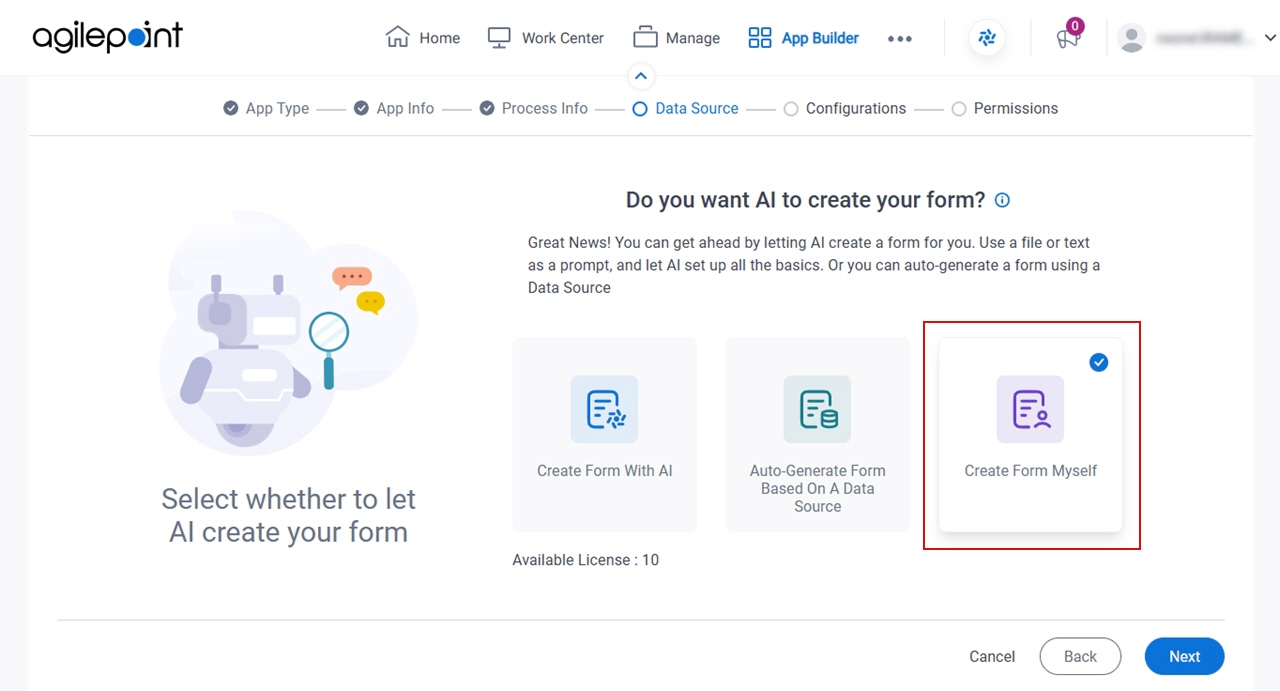
- Click Next.
- On the Where do you want to store the data for your app? screen,
click Data Entities.
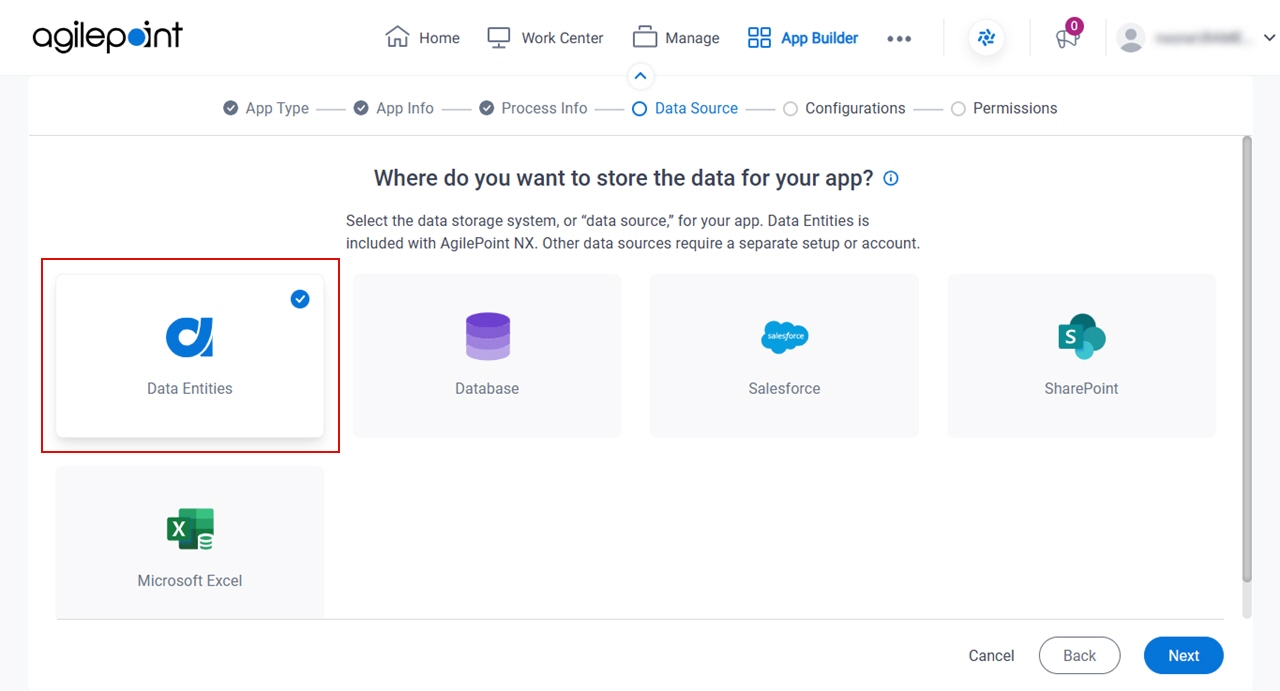
- Click Next.
How do you want to set up your entity? > Configuration tab
Configures how to collect data from Data Entities for your eForm.
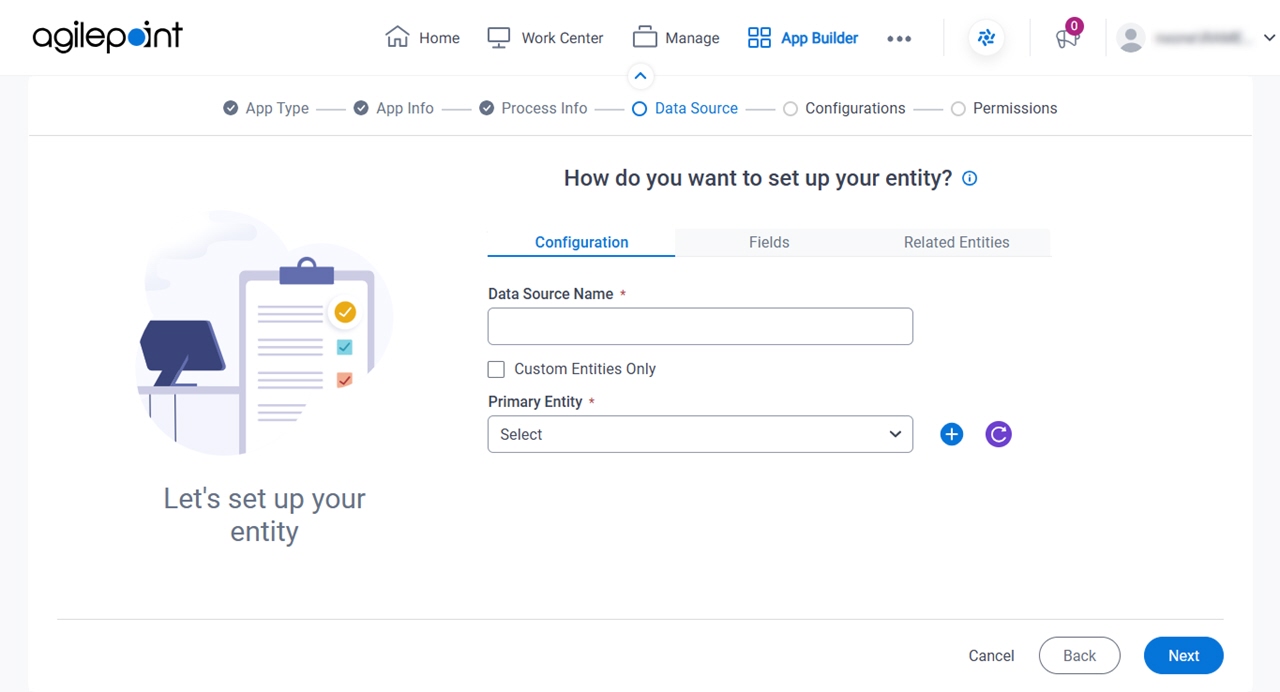
Fields
| Field Name | Definition |
|---|---|
|
Data Source Name |
|
|
Custom Entities Only |
|
|
Primary Entity |
|
Add Entity |
|

How do you want to set up your entity? > Fields tab
Specifies the entity fields from entity.
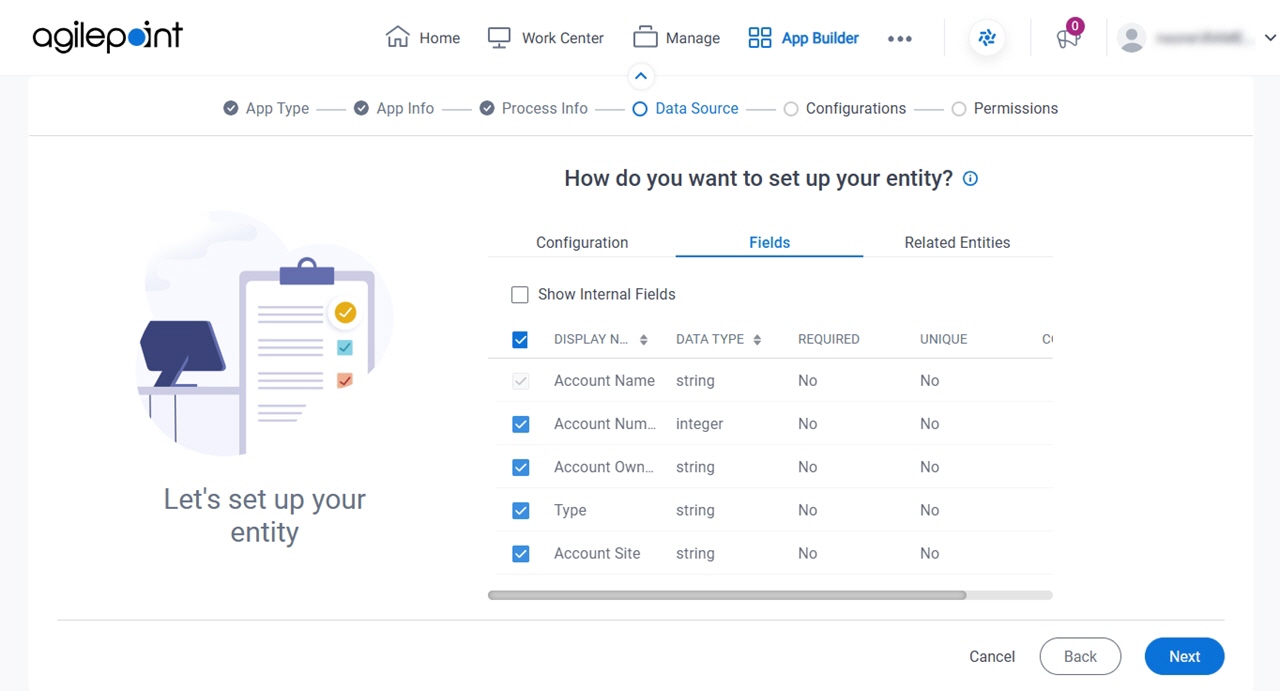
Fields
| Field Name | Definition |
|---|---|
|
Show Internal Fields |
|
|
Check box |
|
|
Display Name | |
|
Data Type | |
|
Required |
|
|
Unique |
|
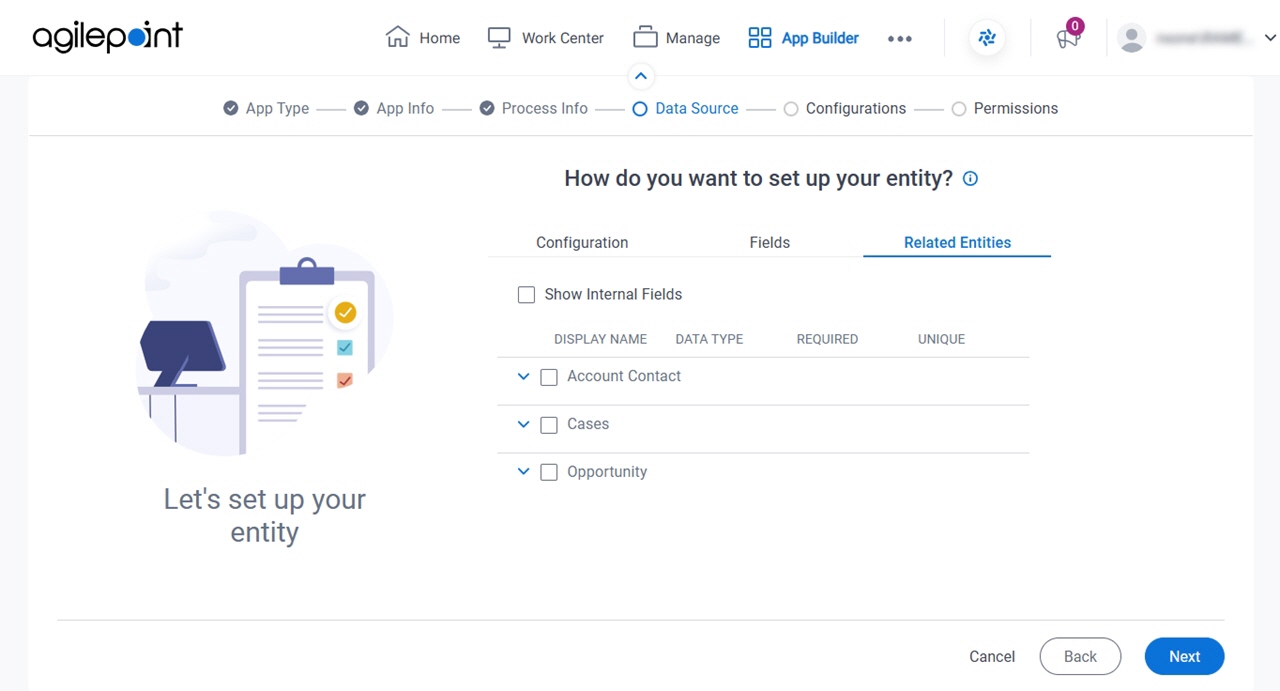
How do you want to set up your entity? > Related Entities tab
Specifies related entity to use on your form for AgilePoint NX Data Entities.
Prerequisites
- The Related Entity tab is available if the primary entity has a related entity.
Good to Know
- The word entity on this screen refers to a container within your data model. For Data Entities or Salesforce, this container is called an entity. For a database, entity refers to a database table. For SharePoint Integration, entity refers to a SharePoint list. For Microsoft Excel, entity refers to an Excel table.
Fields
| Field Name | Definition |
|---|---|
|
Checkbox |
|
|
Display Name |
|
|
Data Type | |
|
Required |
|
|
Unique |
|