


Generate a Form from a Template or Prompt
Background and Setup
Examples
- (External) Auto-Generated Apps Now Support Adding Approval and Comment Fields
- (External) Computer Vision – Powered Business Process from Mockup to Automation
- (External) GenAI for Building Master – Detail Forms
- (External) Go from an Idea to Enterprise Business Process App in Minutes
- (External) GenAI is Here to Build Your Form-Based Apps
- (External) Pixels to Productivity: Generative AI Turns Images into Apps
- (External) From PDF to an App in a Snap using GenAI
- (External) AgilePoint + Generative AI: From Spreadsheets to Smart Apps
- Examples - Step-by-step use case examples, information about what types of examples are provided in the AgilePoint NX Product Documentation, and other resources where you can find more examples.
Prerequisites
- To create an app with GenAI,
these prerequisites apply:
- An AgilePoint license that supports GenAI.
- These access rights:
- Enable App Builder Access
- Create, Delete, And Import Apps
- Create Process Models
- Allow Generative AI Access
For more information, refer to:
- You must be a member of the Entity Designers or Global Data Entities Permission Managers permission group.
- On the App Builder > Common > Settings tab, turn on these settings:
- Generative AI
- Excel
- Image
- Let AI Decide
- To create an app with GenAI,
these prerequisites apply:
- An AgilePoint license that supports GenAI.
- These access rights:
- Enable App Builder Access
- Create, Delete, And Import Apps
- Create Process Models
- Allow Generative AI Access
For more information, refer to:
- You must be a member of the Entity Designers or Global Data Entities Permission Managers permission group.
- On the App Builder > Common > Settings tab, turn on these settings:
- Generative AI
- Excel
- Image
- Let AI Decide
Good to Know
- If you use GenAI to create a form, the data source is Data Entities.
If you want to use a different data source, on the Do you want AI to create your form? screen, select Auto-Generate Form Based On A Data Source.
- To create a form with GenAI, these rules apply:
- You can use a Microsoft Excel file as a template for your form. The Excel file must meet these requirements:
- The file cannot be larger than 10 MB.
- Only the first sheet is considered.
- The first row is considered the field name.
- You can use an image file as a template for your form. The image file must meet these requirements:
- Supported file types are .png, .jpg, and .jpeg.
- The file cannot be larger than 10 MB.
- Regardless of the number of pages, only one form is generated.
- Any other content is ignored, including images, icons, or descriptive text.
- The minimum required resolution is 512 x 512 pixels.
- You can use a PDF file as a template for your form. The PDF file must meet these requirements:
- The file cannot be larger than 10 MB.
- The PDF cannot be more than 5 pages.
- Regardless of the number of pages, only one form is generated.
- Any other content is ignored, including images, icons, or descriptive text.
- You can use a Microsoft Excel file as a template for your form. The Excel file must meet these requirements:
How to Start
- Create an app.
For more information, refer to Create an app.
- On the Do you want AI to create your form? screen,
click Create Form With AI.
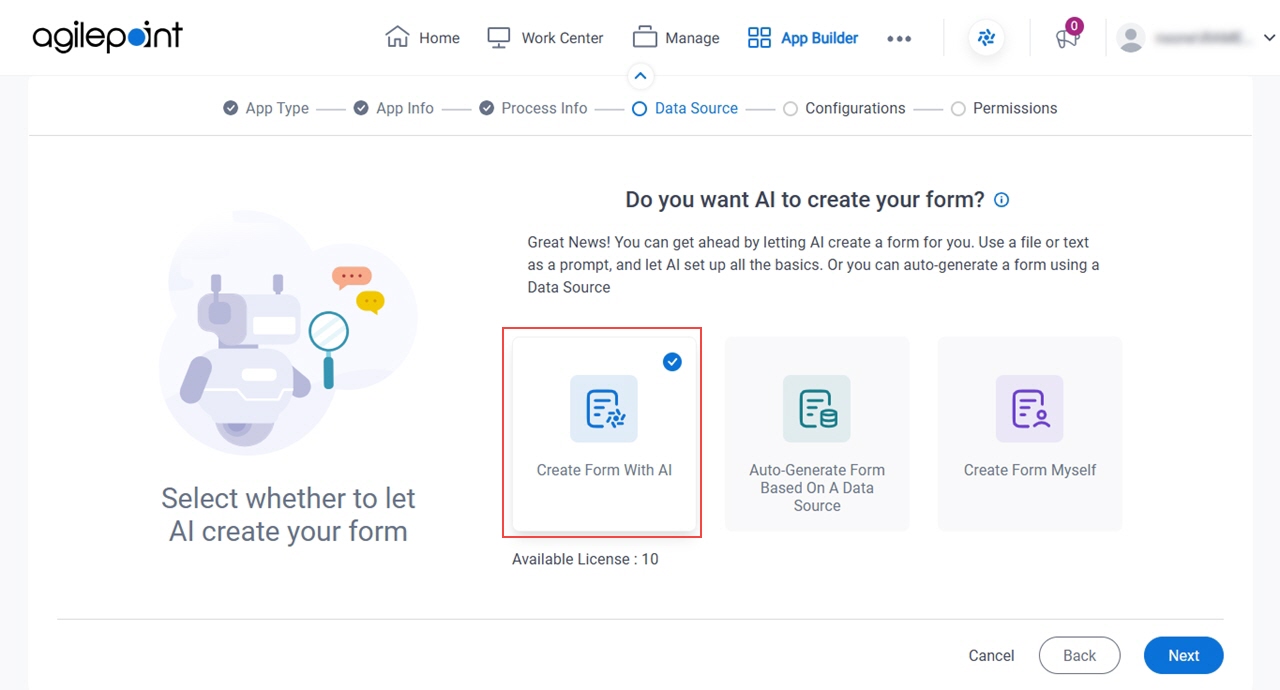
- Click Next.
How do you want the AI to create the form? screen
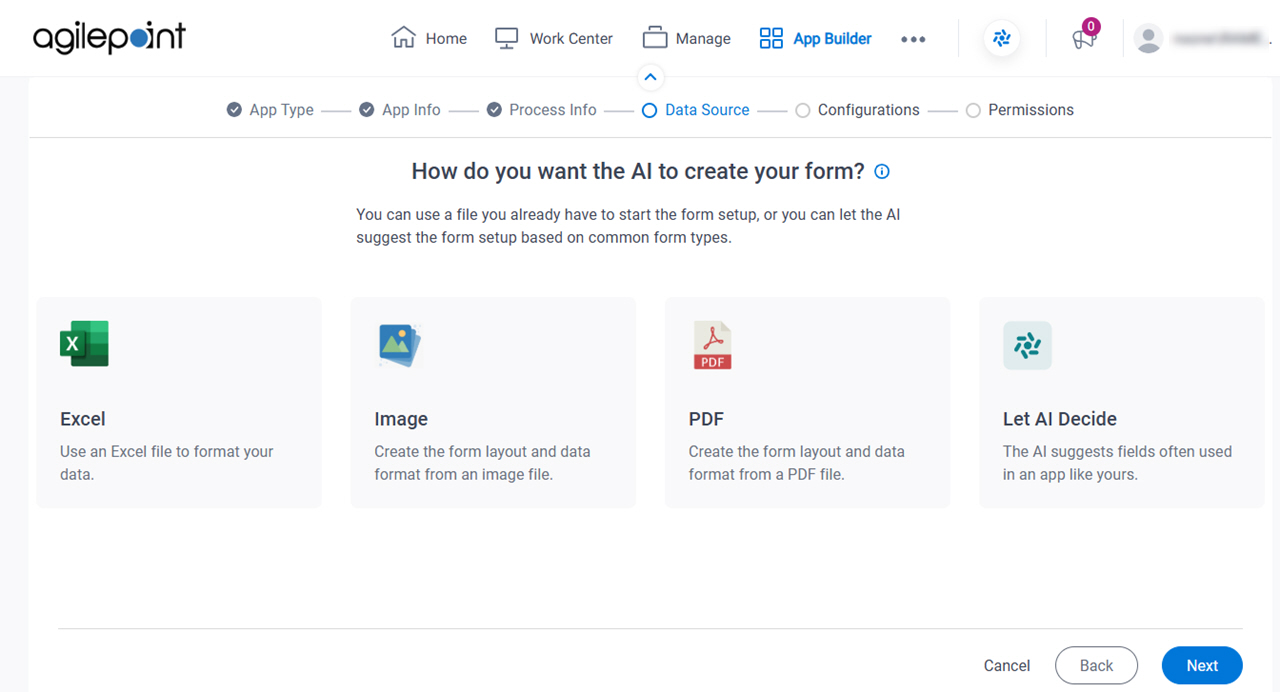
Fields
| Field Name | Definition |
|---|---|
Excel / Image / PDF / Let AI Decide |
|