


(Example) How to Get the Access Token Credentials from Microsoft Azure Bot Service
To get the access token credentials from bot, do the procedure in this topic.
Prerequisites
- A Microsoft Azure Portal account
- A bot created with Microsoft Azure Bot Service.
Procedure
- In the left pane, click All Resources.
- On the All Resources screen, click your bot.
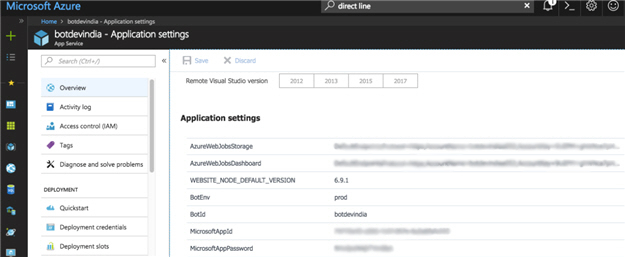
- In the left pane, click Settings > Application settings.
- In the right pane, under Application settings section, get the values for MicrosoftAppID and MicrosoftAppPassword.