


Configure the Process and Activities (Image)
This topic shows how to create your process based on an image file, and configure the activities for the process created with GenAI.
Background and Setup
Examples
- (External) Auto-Generated Apps Now Support Adding Approval and Comment Fields
- (External) Computer Vision – Powered Business Process from Mockup to Automation
- Examples - Step-by-step use case examples, information about what types of examples are provided in the AgilePoint NX Product Documentation, and other resources where you can find more examples.
Prerequisites
- To create an app with GenAI,
these prerequisites apply:
- An AgilePoint license that supports GenAI.
- These access rights:
- Enable App Builder Access
- Create, Delete, And Import Apps
- Create Process Models
- Allow Generative AI Access
For more information, refer to:
- You must be a member of the Entity Designers or Global Data Entities Permission Managers permission group.
- On the App Builder > Common > Settings tab, turn on these settings:
- Generative AI
- Excel
- Image
- Let AI Decide
Good to Know
- You can use an image file as a template for your process. The image file must meet these requirements:
- Supported file types are .png, .jpg, and .jpeg.
- The file cannot be larger than 10 MB.
- The minimum required resolution is 512 x 512 pixels.
- You can not delete the Start and Stop activities from the process.
How to Start
- Create an app.
For more information, refer to Create an app.
- Set up the process-based app.
For more information, refer to Set Up a Process-Based App.
- On the Do you want AI to create your process? screen,
click Create Process With AI.
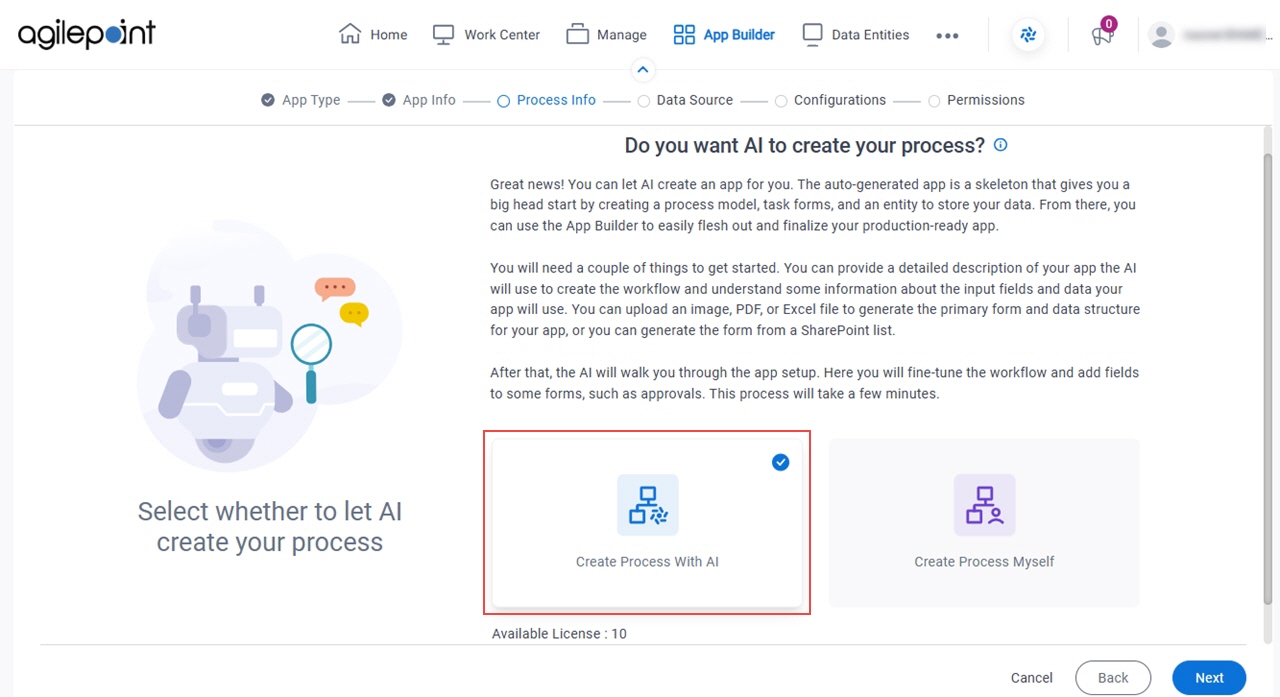
- Click Next.
- On the How do you want the AI to create your process? screen,
click Image.
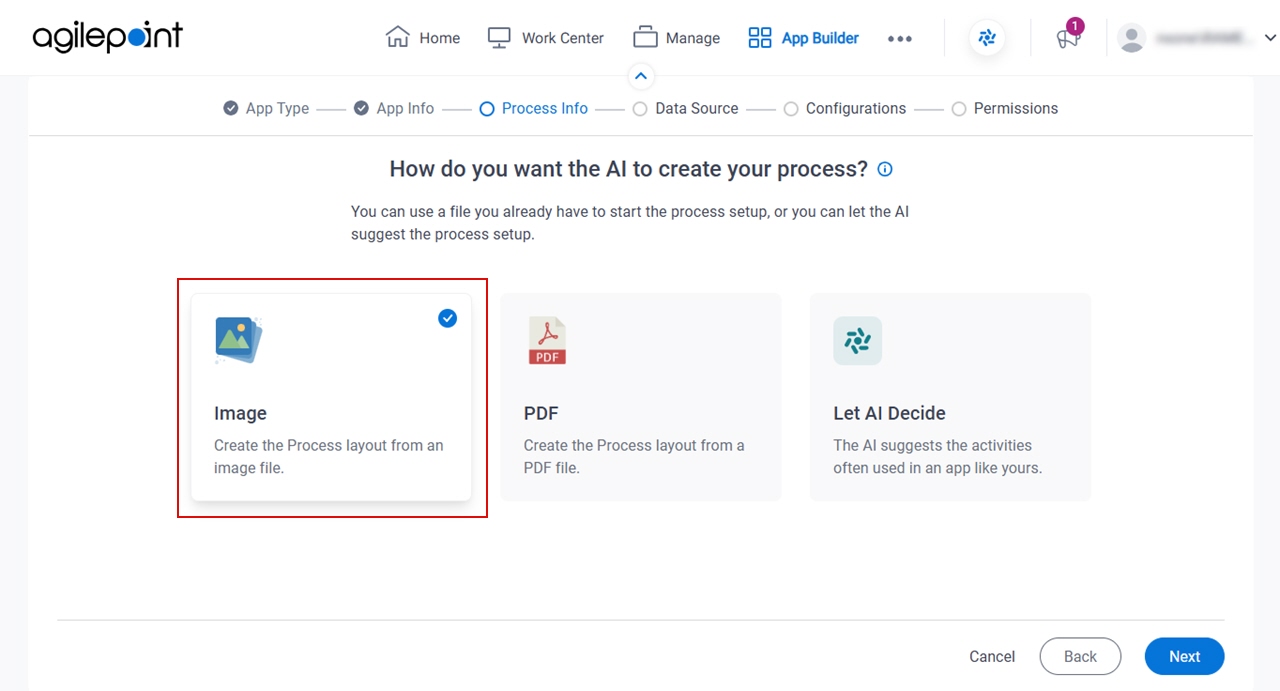
- Click Next.
Select the repository that contains your process model's template screen (Image)
Specifies the location of the image file to use as the starting point to create the process flow for your app.
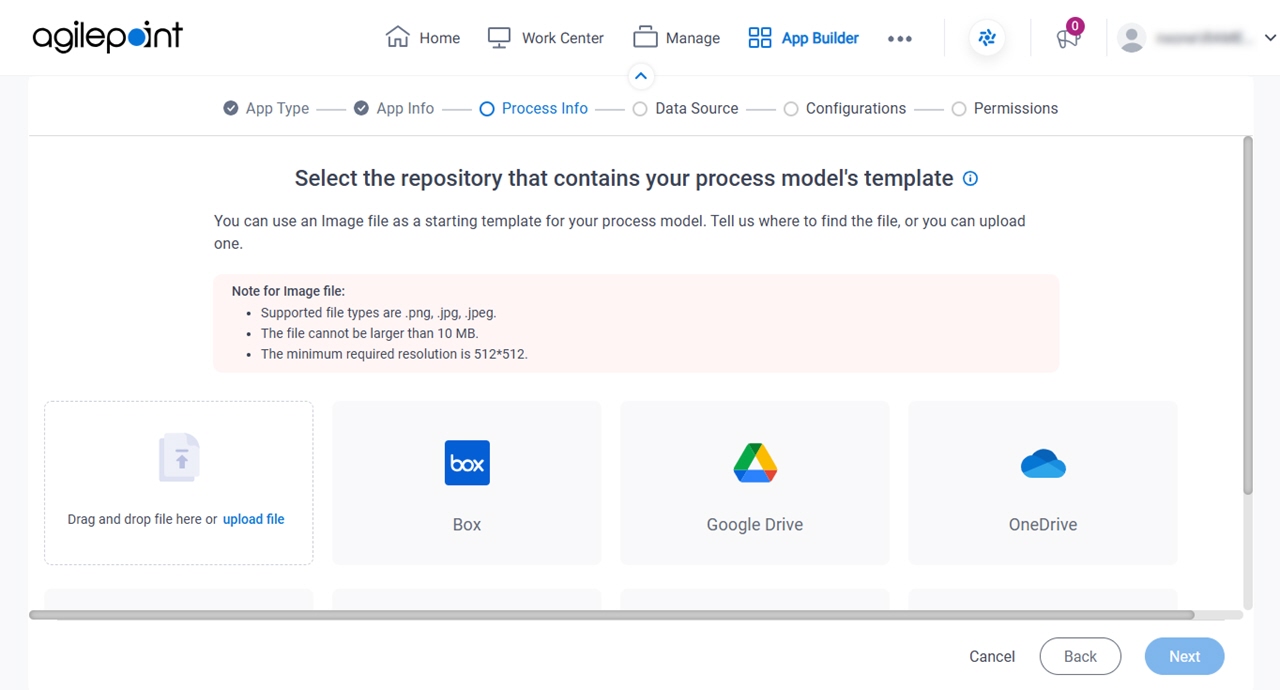
Fields
| Field Name | Definition |
|---|---|
Upload File |
|
|
Box |
|
|
Google Drive |
|
|
OneDrive |
|
|
OneDrive For Business |
|
|
SharePoint |
|
Review the activities for your app screen
Configures the activities for the process.
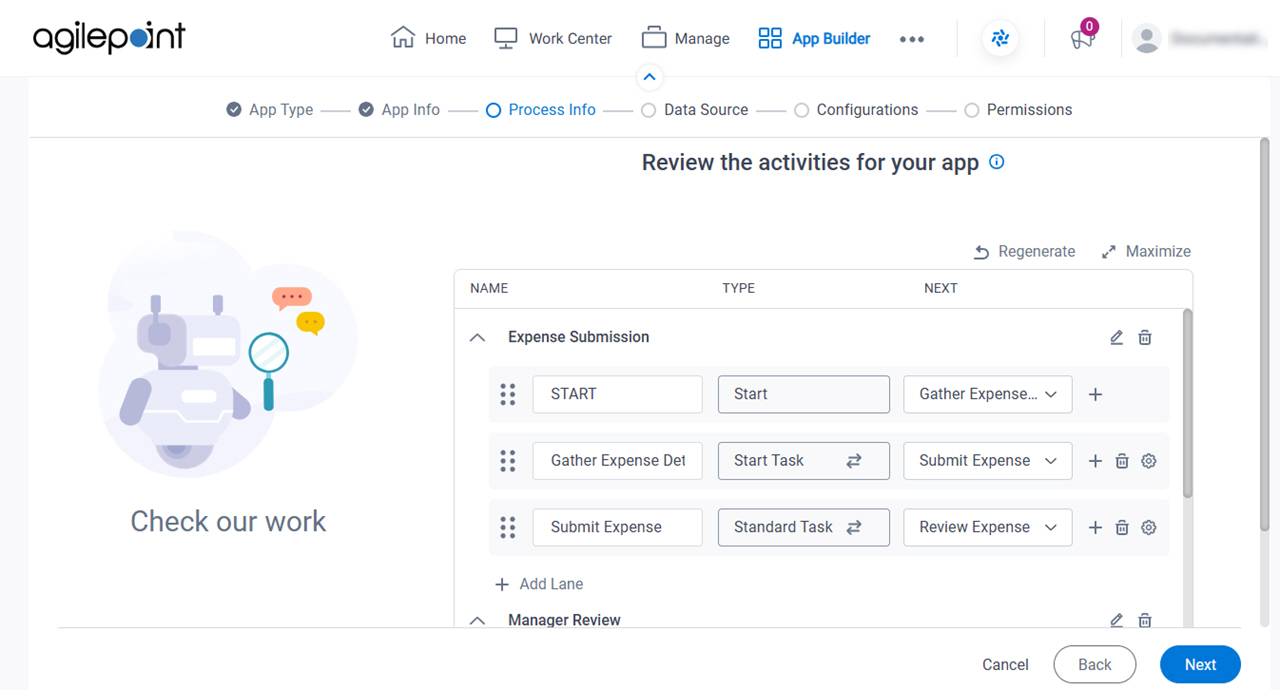
Fields
| Field Name | Definition |
|---|---|
|
Name | |
|
Type | |
|
Next | |
Regenerate |
|
Edit Lane Name |
|
Maximize |
|
Minimize |
|
Delete Lane |
|
Add Activity |
|
Delete Activity |
|
|
Configure Activity |
|
Add Lane |
|


