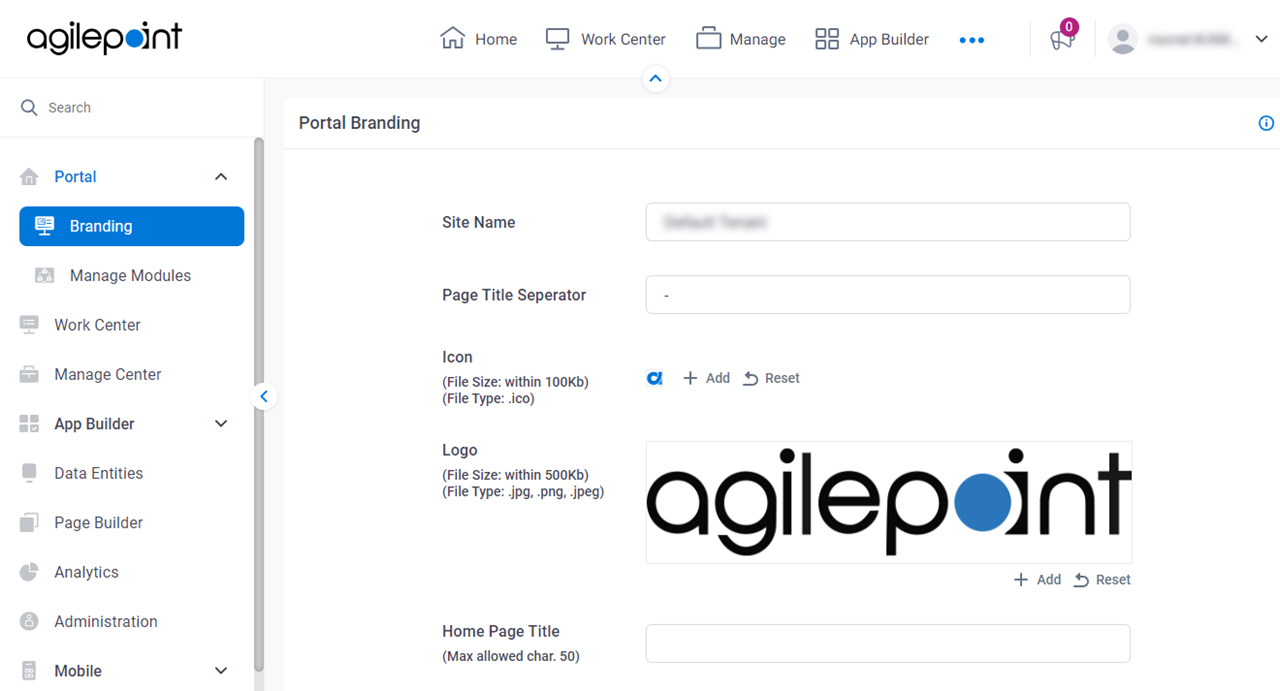
Figure 1. Portal Branding screen
Video: Set Up Your Workspace
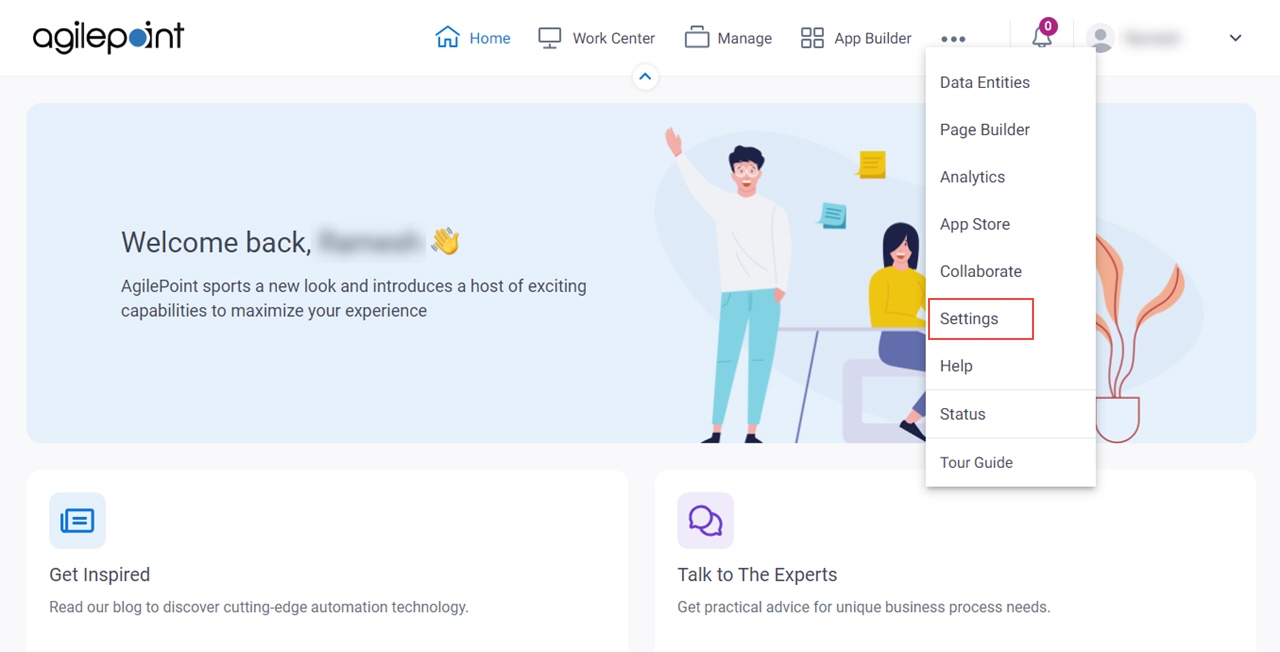
How to Start
- Click Settings.
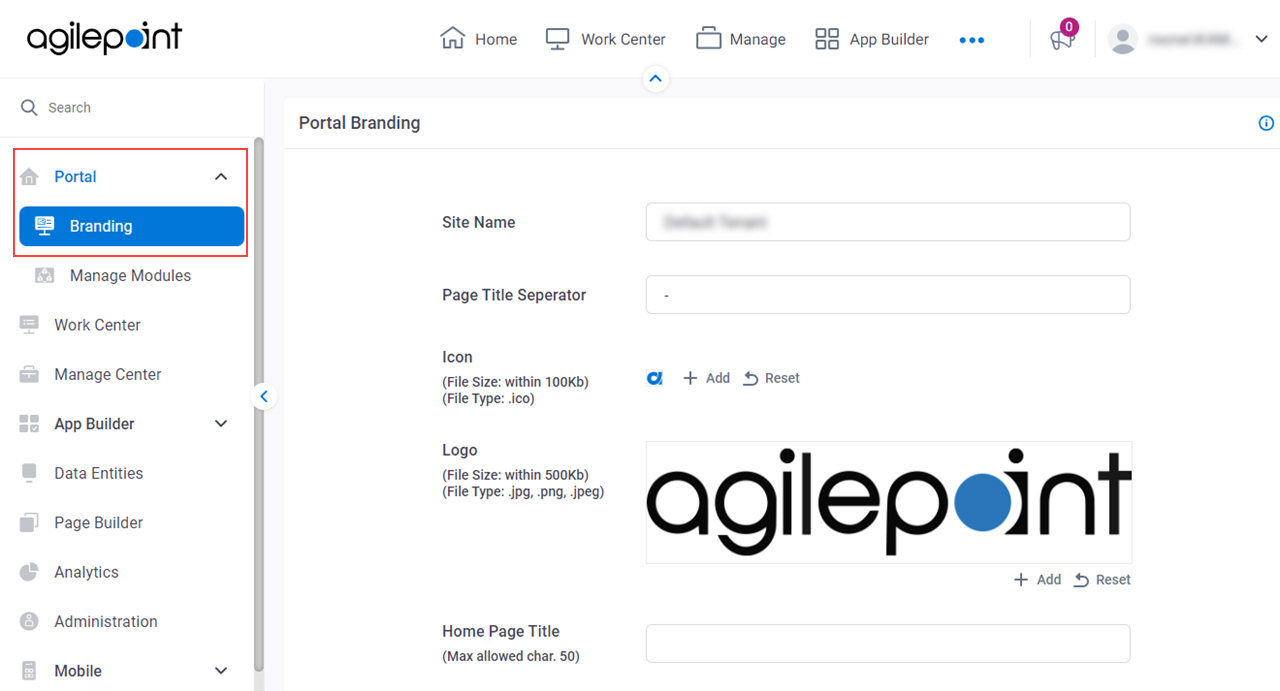
- Click Portal
> Branding.
Fields
| Field Name | Definition |
|---|
Site Name |
- Description:
- Specifies the main title on the AgilePoint NX Portal UI.
- Allowed Values:
- One line of text (a string).
Accepted:
- Letters
- Numbers
- Spaces
- Special characters
- 15 characters maximum
- Default Value:
- AgilePoint
|
Page Title Separator |
- Description:
- Specifies the separators used to separate the AgilePoint component name or
the page title from the site name that shows on the browser tab.
- Allowed Values:
- One line of text (a string).
Accepted:
- Letters
- Numbers
- Spaces
- Special characters
- 5 characters maximum
- Default Value:
- -
|
Icon |
- Description:
- Specifies the icon image for AgilePoint NX Portal.
- Allowed Values:
- An image file from the local machine.
Use the Add button to select the icon image.
The image file must meets these requirements:
- .ico format
- Maximum 100 KB
- 16 px x 16 px
- 72 px/in resolution
|
Logo |
- Description:
- Specifies the logo image for the AgilePoint NX Portal UI.
- Allowed Values:
- An image file from the local machine.
Use the Add button to select the logo image.
The image file must meets these requirements:
- Maximum 500 KB
- The file can be one of these types:
|
Home Page Title |
- Description:
- Specifies the title text to show on the AgilePoint NX Portal home page.
- Allowed Values:
- One line of text (a string).
Accepted:
- Letters
- Numbers
- Spaces
- Special characters
- 50 characters maximum
- Default Value:
- None
- Limitations:
-
This field
is available in these releases:
|
Home Page Sub Title |
- Description:
- Specifies the summary of the content that shows next to the title of the AgilePoint NX Portal home page.
- Allowed Values:
- More than one line of text.
Accepted:
- Default Value:
- None
- Limitations:
-
This field
is available in these releases:
|
Text Color |
- Description:
- Specifies the text color for the title and subtitle.
- Allowed Values:
- A color value using a hex code, RGB code, or RGBA code.
You can enter a color code, or select a color from the palette. - Default Value:
- 3b4455
- Limitations:
-
This field
is available in these releases:
|
Background Color |
- Description:
- Specifies the background color for the title, subtitle, and banner.
- Allowed Values:
- A color value using a hex code, RGB code, or RGBA code.
You can enter a color code, or select a color from the palette. - Default Value:
- e5f1fb
- Limitations:
-
This field
is available in these releases:
|
Banner |
- Description:
- Specifies the banner that shows at the top of
the AgilePoint NX Portal UI.
- Allowed Values:
- An image file from the local machine.
Use the Add button to select the banner.
The image file must meets these requirements:
- Maximum 1 MB
- The file can be one of these types:
|
Save |
- Function:
- Saves the changes to the AgilePoint NX Portal UI.
|
Reset |
- Description:
- Sets the logo or banner of the AgilePoint NX Portal UI to the default image.
|