
Set Up a Form-Based App

This topic explains how to configure a form-based app with App Builder.

How will people identify your app? screen

Configures the basic information for your app.
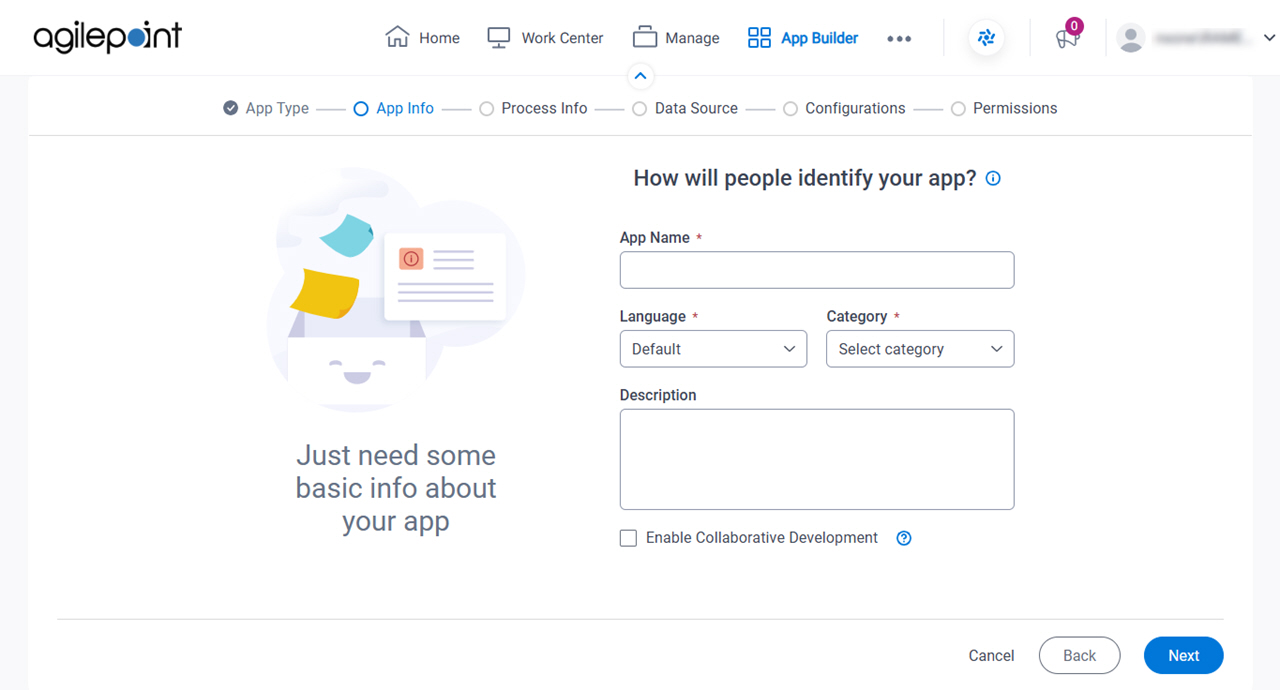
Figure 1. How will people identify your app? screen

How will people identify your app screen

Fields

Field NameDefinition

App Name

Description:
Specifies a name for your app.
Allowed Values:
One line of text (a string).

Accepted:

  • Letters
  • Numbers
  • Spaces
Default Value:
None

Language

Description:
Specifies the language for your app.
Allowed Values:
A language from the list.
Default Value:
None
Accepts Variables:
No

Category

Description:
Specifies a category for your app.
Allowed Values:
A category from the list.

The category list comes from Tenant Settings > Categories tab.

Default Value:
None

Description

Description:
An optional description for your app.
Allowed Values:
More than one line of text.
Default Value:
None

Enable Collaborative Development

Description:
Specifies whether app designers can use collaborative development to work on the app.
Allowed Values:
  • Selected - App designers can use collaborative development to work on the app.
  • Deselected - Collaborative development is not enabled for the app. Only one user at a time can check out the files for the app.
Default Value:
Deselected
Example:
Refer to:
Limitations:

Do you want create widget form (not typical) screen

Specifies the type of form to create.
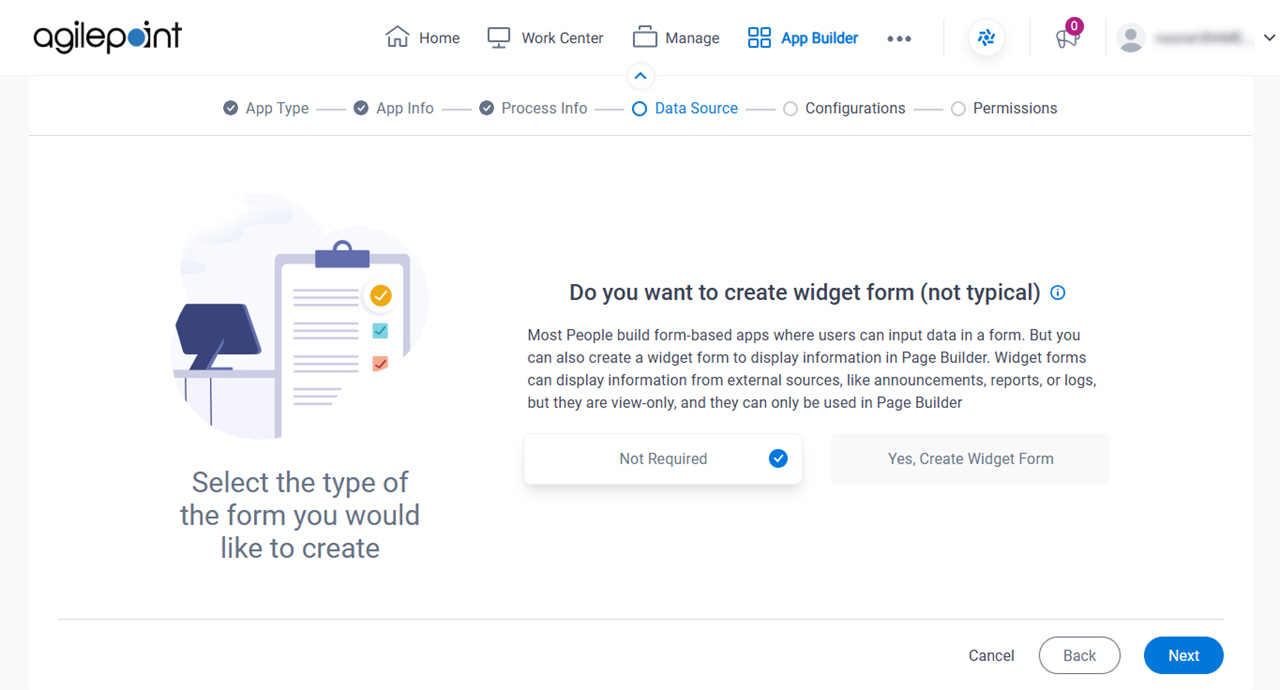
Figure 2. Do you want create widget Form (not typical) screen

Do you want create widget From screen

Good to Know

Fields

Field NameDefinition

Widget Form

Description:
Specifies whether to create a widget form that can show information on a custom page in Page Builder.
Allowed Values:
  • Not Required - Creates a standard form-based app, which can not be used in a widget in Page Builder.

    The next step is Select How to Create Your Form.

  • Yes, Create Widget Form - Creates a widget form to show information based on lookups. Widget forms can only be used in Page Builder.

    The next step is Configure a Widget Form.

Default Value:
Not Required