Figure 1. Sign In screen
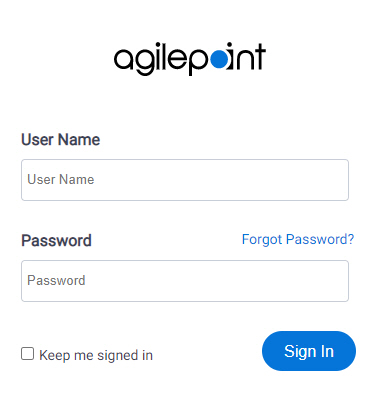
Fields
| Field Name | Definition |
|---|
|
Domain
|
- Description:
- The authentication domain for an Active Directory domain in AgilePoint NX OnPremises and AgilePoint NX PrivateCloud.
- Allowed Values:
- Read only.
- Default Value:
- The value that is configured in the DomainName attribute in the web.config file for AgilePoint NX Portal.
When you install AgilePoint Server, the value specified in Domain field shows in DomainName attribute in the portal web.config file.
For more information, refer to
Change the Default Value for Authentication Domain.
|
|
User name
|
- Description:
- Specifies the user name in AgilePoint NX.
- Allowed Values:
- A valid AgilePoint user name.
- Default Value:
- None
- Accepts Variables:
- No
|
|
Password
|
- Description:
- Specifies a password for the
user.
- Allowed Values:
- A valid password.
- Default Value:
- None
- Accepts Variables:
- No
- Example:
- Refer to:
|
|
Keep Me Signed In
|
- Description:
- Specifies if the app keeps you logged in.
- Allowed Values:
-
- Selected - Stores your user name and password on your computer, so you do not have to log in.
- Deselected - Does not stores your user name and password.
- Default Value:
- Deselected
|