Archive screen

Shows a list of the custom mobile apps that are deleted from the My Apps screen.
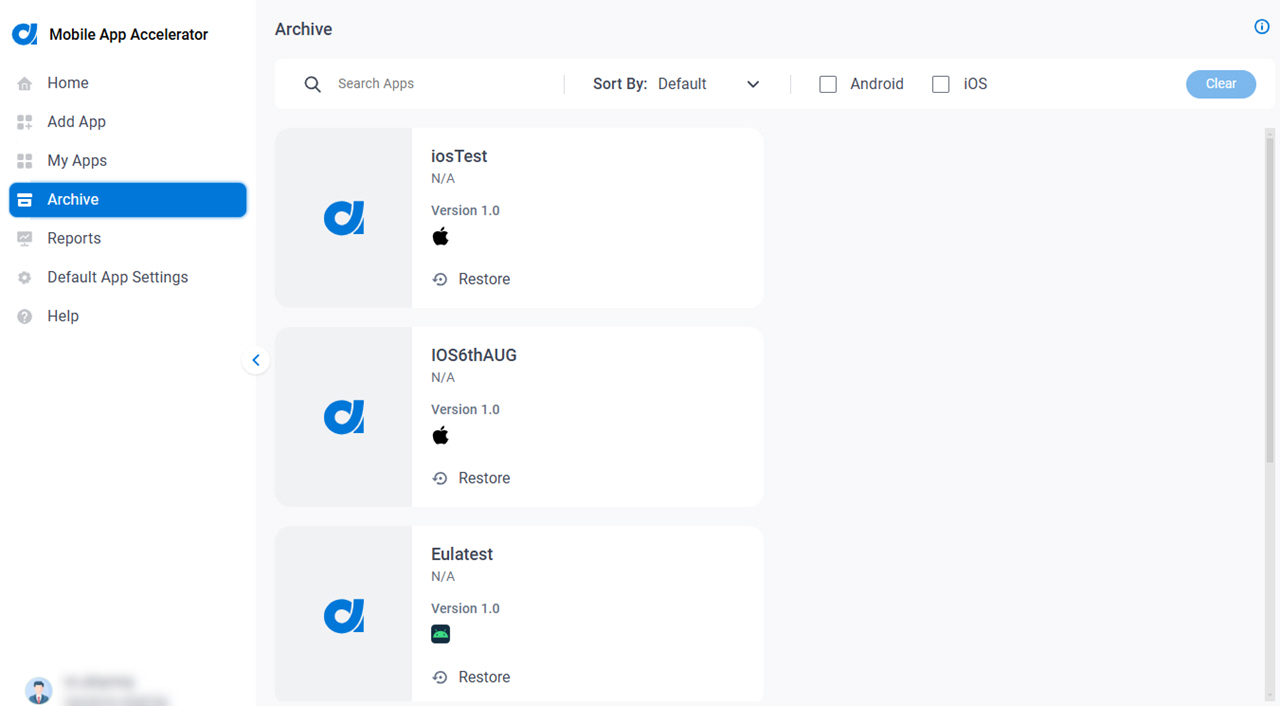
Figure 1. Archive screen

Archive screen

Prerequisites

How to Start

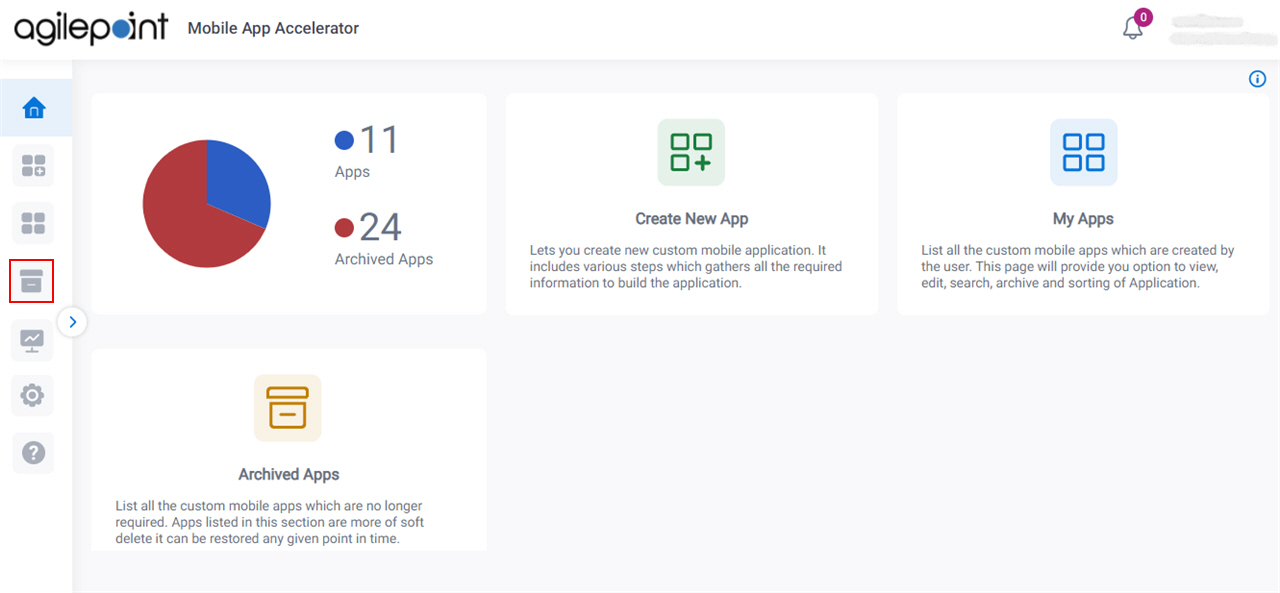
  1. On the Home screen, click Archive Archive icon.

    Click Archive

Fields

Field NameDefinition

Search Apps

Function:
Does a search for a custom mobile app based on app name.

Sort By

Description:
Specifies how to sort the custom mobile apps.
Allowed Values:
  • Default - Sorts the apps in the default order based on the build date.
  • Build Date - Sorts the apps based on build date.
  • Modified Date - Sorts the apps based on modified date.
  • App Name - Sorts the apps based on app name in alphabetical order.
Default Value:
Default

Platforms

Description:
Specifies the operating system type for custom mobile apps to show.
Allowed Values:
  • Android - Shows Android custom mobile app.
  • iOS - Shows iOS custom mobile app.
Default Value:
None

Clear

Function:
Deletes the specified sort and filter options.

Restore Restore icon

Function:
Lets you move the deleted custom mobile apps from the Trash to the My Apps screen.