


MinIO
MinIO is an open-source, high-performance, S3-compatible object storage system for cloud-native applications.
Integrations and Connectors
AgilePoint NX integrates in these ways with MinIO
- Activities in Process Builder
- Document repository for process-based apps
- Document repository for eForms
- Access tokens
Activities in Process Builder
You can use out-of-the-box activities for MinIO to execute actions in process-based apps.
An activity is a functional unit, or task, in a process-based app. Activities that integrate with a third-party system provide access to the API functionality for that system in a simple, point-and-click, form-entry format. This means that you can easily leverage APIs without writing code.
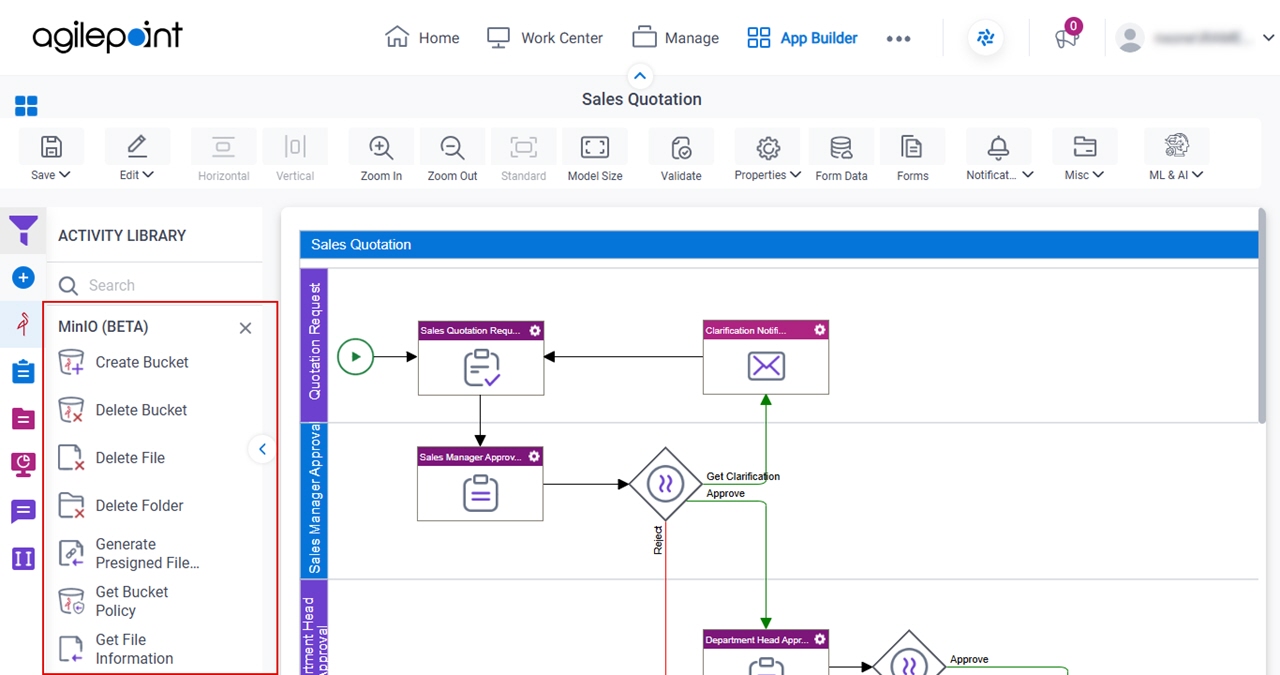
The following activities are available for MinIO:
- Create Bucket
- Delete Bucket
- Delete File
- Delete Folder
- Generate Presigned File URL
- Get Bucket Policy
- Get File Information
- Set Bucket Policy
For more information, refer to the process activities for MinIO in Process Builder.
Document Repository for Process-Based Apps
MinIO can be used as a document repository in a process-based app. There are many activities that let you upload and download files from various third-party repositories.
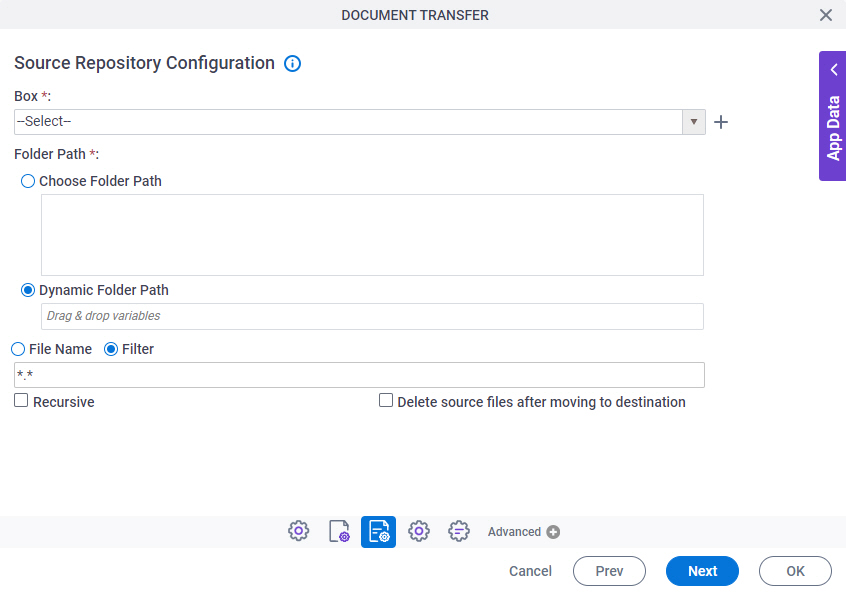
For more information, refer to Document Repositories.
Document Repository for eForms
MinIO can be used as a document repository to upload and download files in eForms. In an eForm or form-based app, file transfer is handled with the File Upload form control.
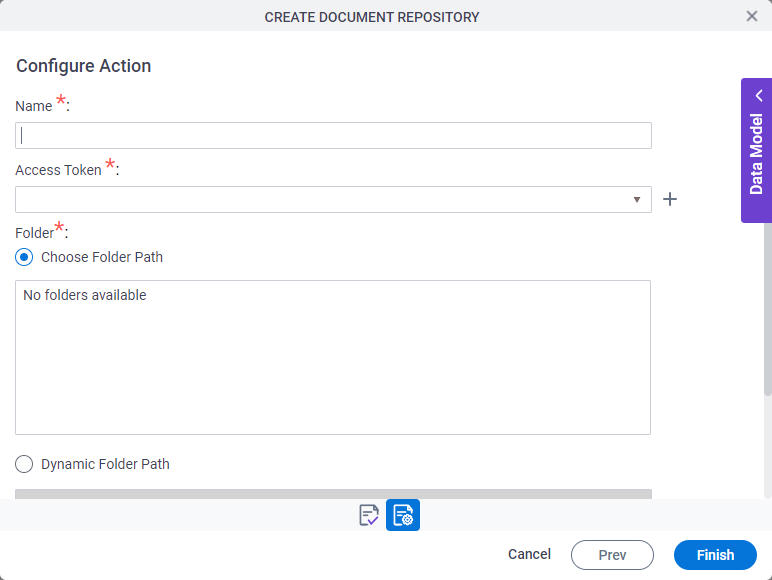
For more information, refer to Document Repositories.
Access Tokens
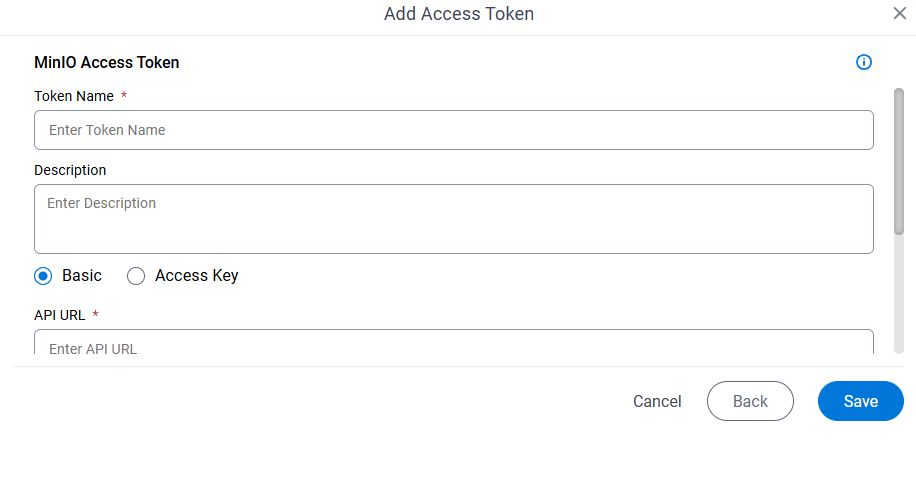
You can create access tokens for MinIO.
An access token is a secure object that stores an endpoint (usually a URL) and authentication credentials to connect to a service or technology. Often this is an external or third-party service, like Salesforce or SharePoint, but access tokens can also connect to an AgilePoint NX enviornment, local database, or other types of technologies. Once an access token is created, app designers can simply select and reuse it, rather than entering the credentials each time they are needed.
For more information, refer to Access Token for MinIO.
Related Topics
- MinIO tab - Process activities
- Document Repository for MinIO
- Access Token for MinIO
Examples
- (External) AgilePoint NX Connector For MinIo
- Examples - Step-by-step use case examples, information about what types of examples are provided in the AgilePoint NX Product Documentation, and other resources where you can find more examples.
MinIO Documentation
Use these links to find third-party vendor documentation for MinIO Documentation:
About This Page
This page is a navigational feature that can help you find the most important information about this topic from one location. It centralizes access to information about the concept that may be found in different parts of the documentation, provides any videos that may be available for this topic, and facilitates search using synonyms or related terms. Use the links on this page to find the information that is the most relevant to your needs.
Keywords
MinIO, minio, cloud storage, storage