


AgileLLM
AgileLLM is a large language model that is native to and well-integrated within AgilePoint NX OnDemand (public cloud).
Integrations and Connectors
AgilePoint NX integrates in these ways with AgileLLM:
- Activities in Process Builder
- AI Control Towers
- Lookups in eForm Builder
Activities in Process Builder
You can use out-of-the-box activities for AgileLLM to execute actions in process-based apps.
An activity is a functional unit, or task, in a process-based app. Activities that integrate with a third-party system provide access to the API functionality for that system in a simple, point-and-click, form-entry format. This means that you can easily leverage APIs without writing code.
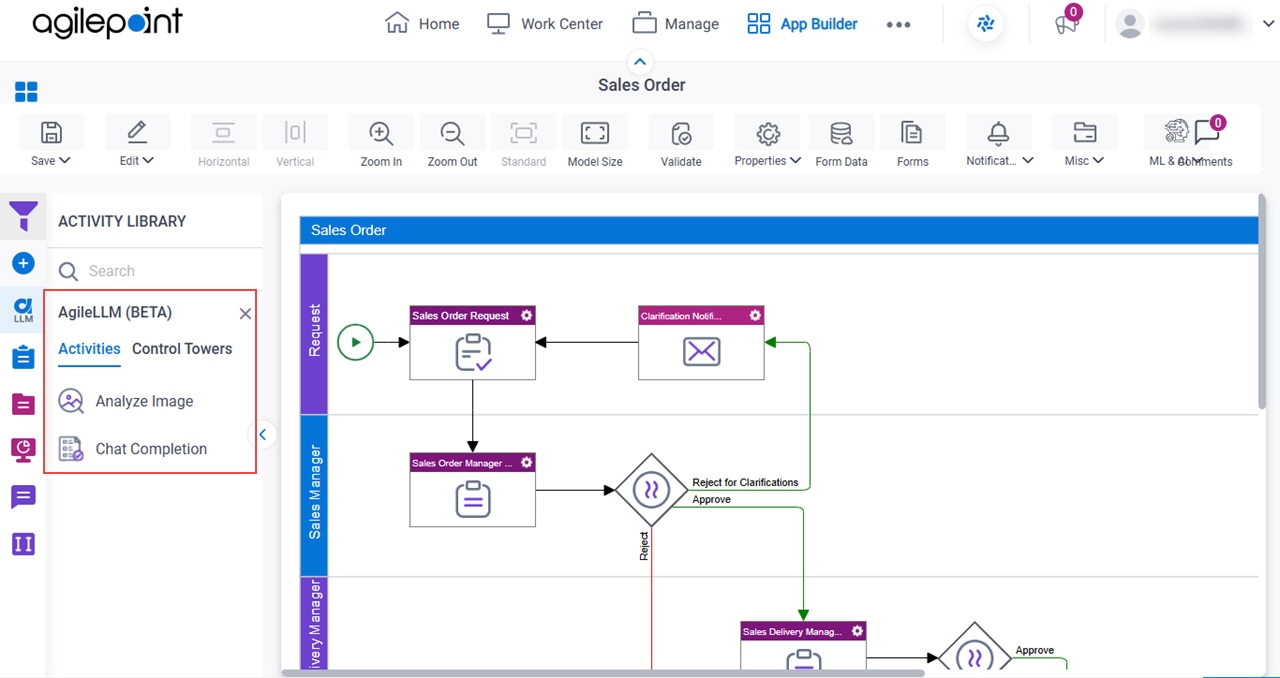
The following activities are available for AgileLLM:
- Analyze Image
- Chat Completion
For more information, refer to the process activities for AgileLLM in Process Builder.
AI Control Towers
You can use AgileLLM AI Control Towers to orchestrate operations within your apps.
An AI Control Tower is a process activity used for robust, secure monitoring that work with predictive AI to improve workflows with dynamic, predictive capabilities. These predictive AI agents enable real-time monitoring, control, and adaptation for process instances, dynamically adjusting them based on AI-driven predictions. AI Control Towers seamlessly handle AI agent integration and orchestration across multiple apps. AI Control Towers also provides centralized, real-time monitoring and analytics features that leverage AI to help organizations oversee their operations, improve governance, and optimize their business processes.
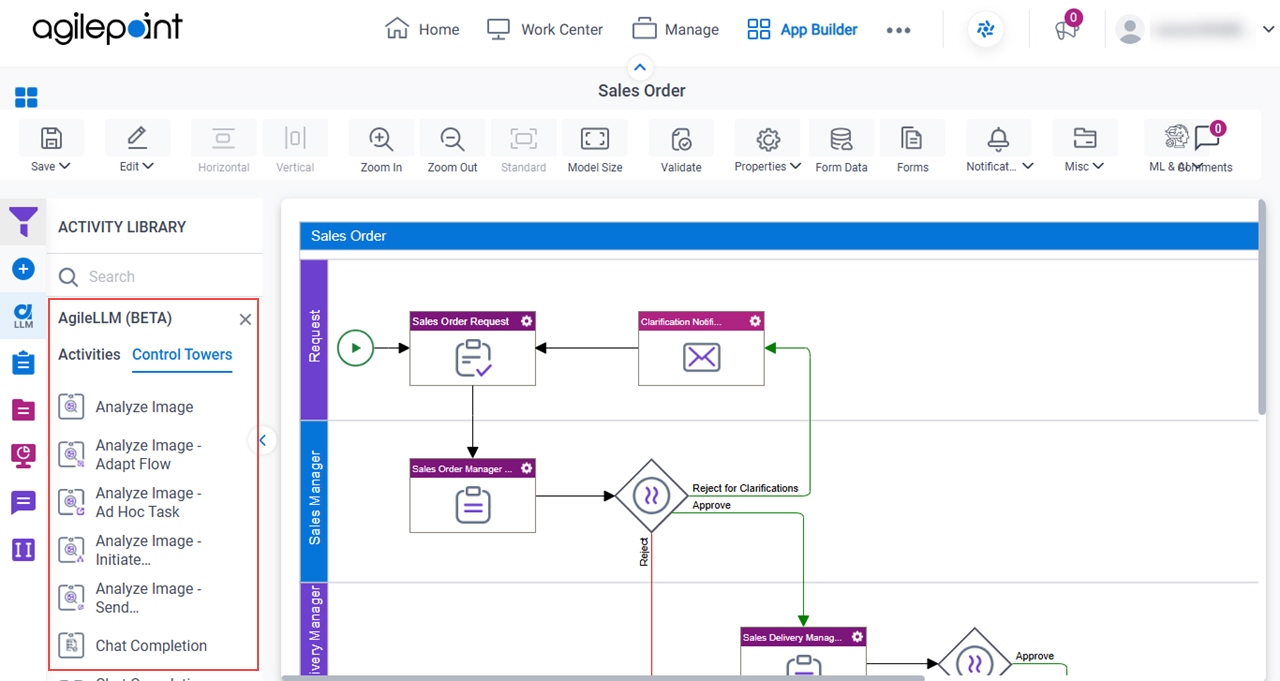
The following AI Control Towers are available for AgileLLM:
- Analyze Image
- Analyze Image - Adapt Flow
- Analyze Image - Ad Hoc Task
- Analyze Image - Initiate Subprocess
- Analyze Image - Send Notification
- Chat Completion
- Chat Completion - Adapt Flow
- Chat Completion - Ad Hoc Task
- Chat Completion - Initiate Subprocess
- Chat Completion - Send Notification
For more information, refer to the AI Control Towers for AgileLLM in Process Builder.
Lookups in eForm Builder
You can create lookups for AgileLLM in eForm Builder and form-based apps.
A lookup is an automated procedure that retrieves data from an external data source, such as a database or third-party service, to display runtime. For example, you can use a lookup to populate the options in a list on an eForm.
For more information, refer to AgileLLM lookup configuration.
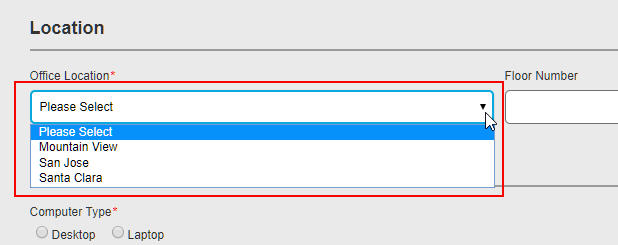
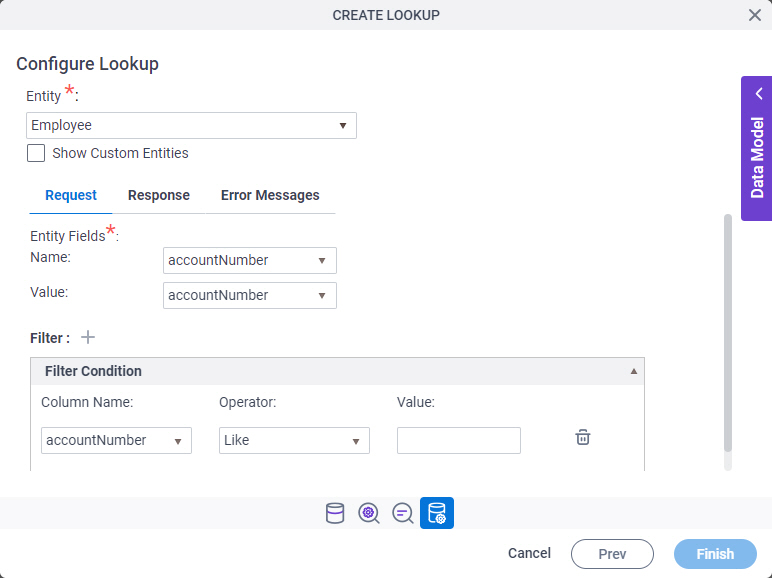
This image is only one example configuration screen from the Auto-Lookup form control. It does not show all the configuration options, and lookups can be configured and executed in multiple ways. The Auto-Lookup control can perform a lookup for eForms or other controls. However, many other form controls have built-in lookup capabilities — for example, the Drop-Down List form control. For information about how to configure lookups, refer to eForm Controls.
Related Topics
- AgileLLM > Activities tab - Process activities
- AgileLLM > Control Towers tab - AI Control Towers
- AgileLLM lookup configuration
Examples
- (External) AgilePoint NX Connector For AgileLLM
- (External) Trigger AgileLLM from eForms
- Examples - Step-by-step use case examples, information about what types of examples are provided in the AgilePoint NX Product Documentation, and other resources where you can find more examples.
About This Page
This page is a navigational feature that can help you find the most important information about this topic from one location. It centralizes access to information about the concept that may be found in different parts of the documentation, provides any videos that may be available for this topic, and facilitates search using synonyms or related terms. Use the links on this page to find the information that is the most relevant to your needs.
Keywords
AgileLLM, LLM, large language model, artificial intelligence, AI