


MinIO tab
This section gives full information about the activities on the MinIO tab.
Examples
- (External) AgilePoint NX Connector For MinIo
- Examples - Step-by-step use case examples, information about what types of examples are provided in the AgilePoint NX Product Documentation, and other resources where you can find more examples.
Prerequisites
- AgilePoint NX OnDemand (public cloud), AgilePoint NX Private Cloud, or AgilePoint NX OnPremises v10.0 or higher.
Good to Know
Activities in Process Builder
You can use out-of-the-box activities for MinIO to execute actions in process-based apps.
An activity is a functional unit, or task, in a process-based app. Activities that integrate with a third-party system provide access to the API functionality for that system in a simple, point-and-click, form-entry format. This means that you can easily leverage APIs without writing code.
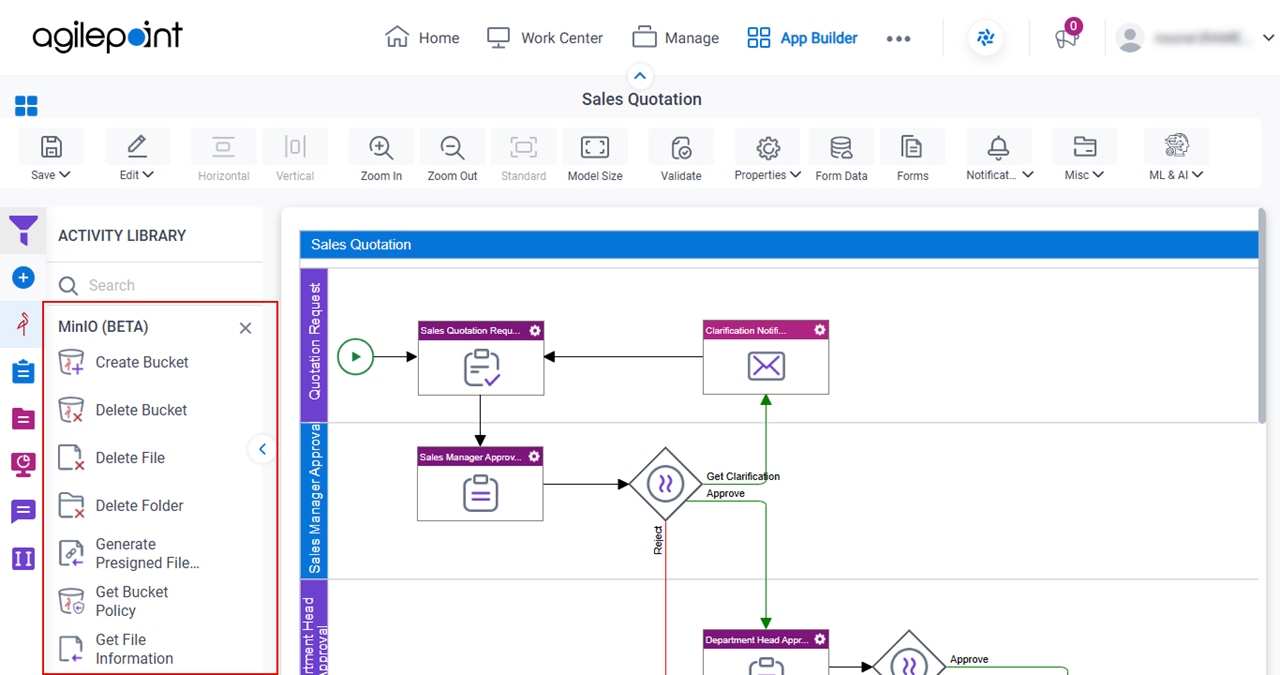
The following activities are available for MinIO:
- Create Bucket
- Delete Bucket
- Delete File
- Delete Folder
- Generate Presigned File URL
- Get Bucket Policy
- Get File Information
- Set Bucket Policy
For more information, refer to the process activities for MinIO in Process Builder.