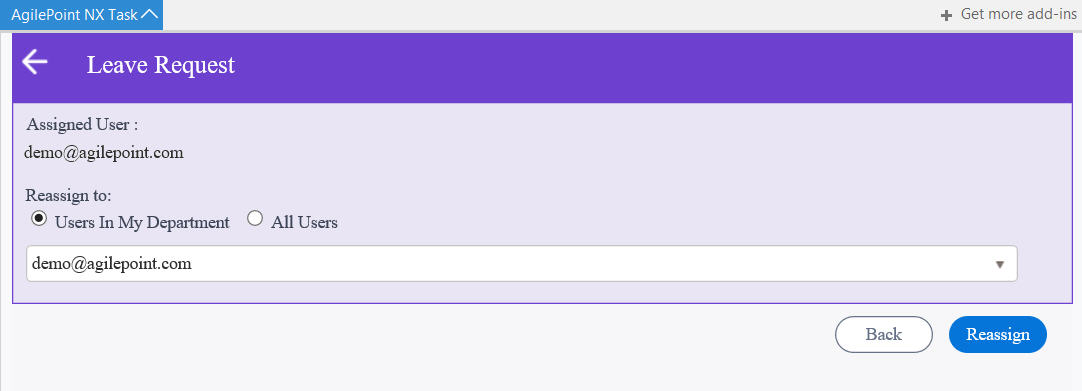
Lets you assign the task to a different
user.
Figure 1. Reassign Task screen
How to Start
- In Microsoft 365, open the AgilePoint NX Task Manager for Outlook app.
- Click Settings.
- In your Outlook e-mail, on the Apps Bar, click AgilePoint NX.
- In the Outlook Task Manager screen, click Reassign Task.
Fields
| Field Name | Definition |
|---|
Assigned User |
- Description:
- Shows the participant assigned to the task.
- Allowed Values:
- Read only.
|
Reassign To |
- Description:
- Specifies how to select the user to whom to assign the task.
- Allowed Values:
-
- Users In My Department - Lets you specify a user in your department.
- All Users - Lets you search any AgilePoint NX user name in your environment.
- Default Value:
- Users In My Department
|