Manual
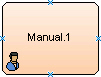
An AgileWork that enables a human resource to participate in an AgilePoint process. The Manual AgileShape is a basic instance of an AgileWork.
You can set up the AgileShape to specify the activity to be performed by the participants. The AgileShape needs to be associated with an input form, such as web form or InfoPath form, that is displayed at runtime to provide the user interface. You can use the Manual AgileShape to perform human activities such as placing an order or approving a request.
How to Start
- In AgilePoint Envision, open a process template.
- Open the Generic BPM stencil.
- On the Generic BPM stencil, drag the Manual AgileShape, and drop it on the process template.
- To view the full list of properties, in the Design Tasks pane, click Show Properties.
Properties for This AgileShape
This AgileShape has no unique properties.
Common AgileWork Properties
This AgileWork inherits the following common properties. For more information, see AgileWork - Common Setup. Note that only the relevant properties are available in AgilePoint Envision. Unneeded properties are hidden.
Name, (UID), Description, Mobile Support, Optional, Time Span, Business Time, Length, Time Unit, Work to Perform, Activity Entry Message (Email), Reminder Message (Email), Task Completed Message (Email), Task Reassigned Message (Email), Max. Participant, Participants, Reuse Participant, Audit Level, Auto Complete, Debug, Priority, SessionMode, Wait All Incoming, Wait Work Performed, Enable Lync, Reminder Message (Lync), Task Assigned Message (Lync), Task Cancelled Message (Lync), Task Completed Message (Lync), Task Reassigned Message (Lync), Configure Mobile View, ConfigureAttachments, Reference URL, Enable SMS, Reminder Message (SMS), Task Assigned Message (SMS), Task Cancelled Message (SMS), Task Completed Message (SMS), Task Reassigned Message (SMS), Configure Yammer Credentials, Enable Yammer, Reminder Message (Yammer), Task Assigned Message (Yammer), Task Cancelled Message (Yammer), Task Completed Message (Yammer), Task Reassigned Message (Yammer), AssemblyName, ClassName
BPMN Properties
Each AgileShape includes a set of BPMN properties. For more information, refer to Adding or Modifying BPMN Properties for an AgileShape.
