Jump to main content
AgilePoint Inc. logo
DOCUMENTATION (CURRENT)
v9.x Documentation v8.x Documentation v6.x-v7.x Documentation
BLOG TRAINING & VIDEOS COMMUNITY
System Administration
  • Manage Center
  • Access Tokens
  • Settings
  • AgilePoint Server
  • Security
  • Notifications
  • Data Services
  • SAP Connector
  • System Optimization
  • Performance Benchmark
  1. Home
  2. Manage Center

    Administration for the AgilePoint NX Portal

  3. Manage Center Screens
  4. Runtime Management
  5. Processes screen
  6. Process Detail > Process Migrations tab
  • Manage Center

    Administration for the AgilePoint NX Portal

    • Manage Center Screens
      • Overview screen (Manage Center)
      • Runtime Management
        • Processes screen
          • Filters screen
          • Process Detail > General Information tab
          • Process Detail > Process Monitor tab
          • Process Detail > Activities tab
          • Process Detail > Tasks tab
          • Process Detail > AI Control Towers tab
          • Process Detail > Event Log tab
          • Process Detail > Data tab
          • Process Detail > Notifications tab
          • Process Detail > Process Migrations tab
          • Process Detail > Process Hierarchy tab
          • Migrate Process Model To A Different Version screen
          • Process Viewer screen
          • Activity Information screen (Manage Center)
        • Tasks screen
        • AI Control Towers screen
        • Notifications screen
      • App Management
      • App Builder
      • Access Control
      • System
    • Manage Center Procedures

Process Detail > Process Migrations tab

Full documentation coming soon.
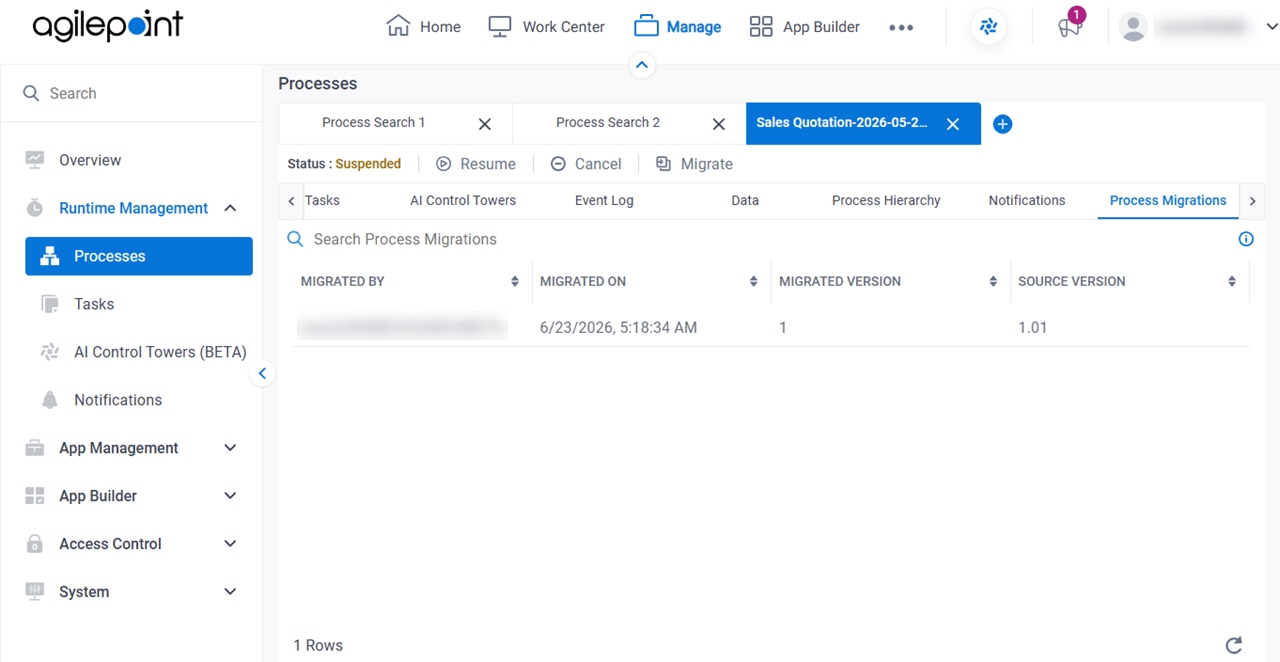
Figure 1. Process Detail > Process Migrations tab

Process Detail Process Migrations tab

Prerequisites

  • AgilePoint NX OnDemand (public cloud), AgilePoint NX PrivateCloud, or AgilePoint NX OnPremises v10.0 or higher.

How to Start

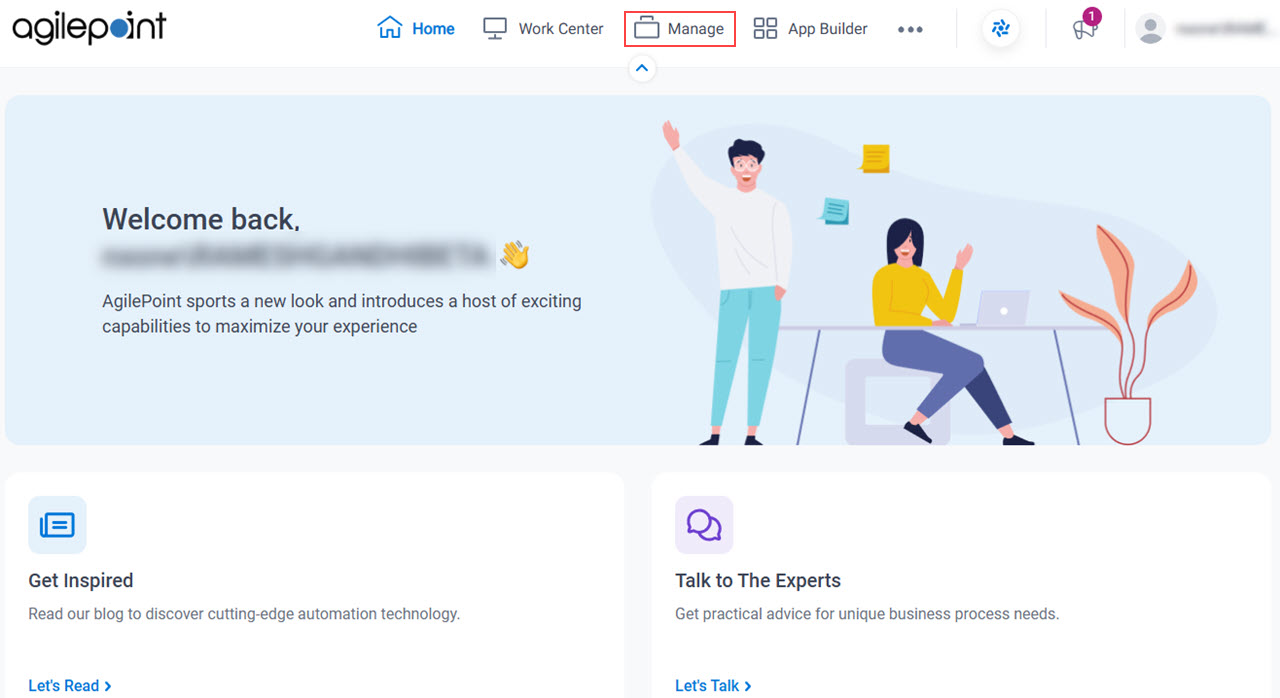
  1. Click Manage.

    Click Manage
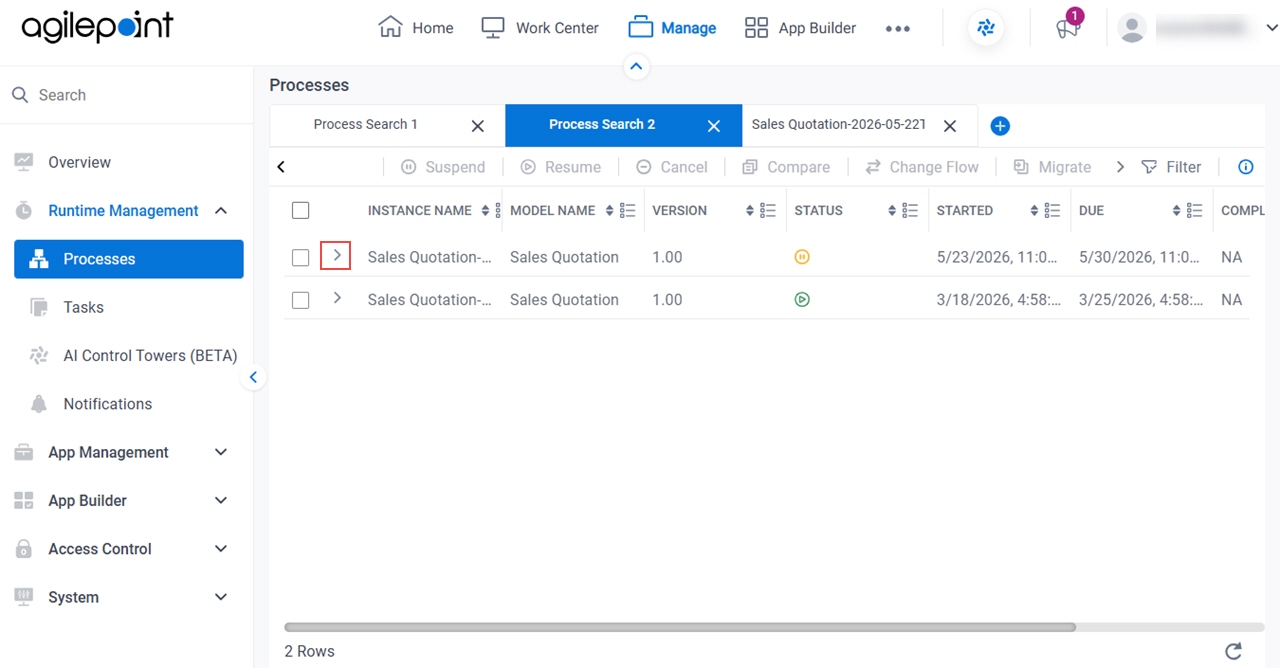
  2. In Manage Center, click Runtime Management > Processes.
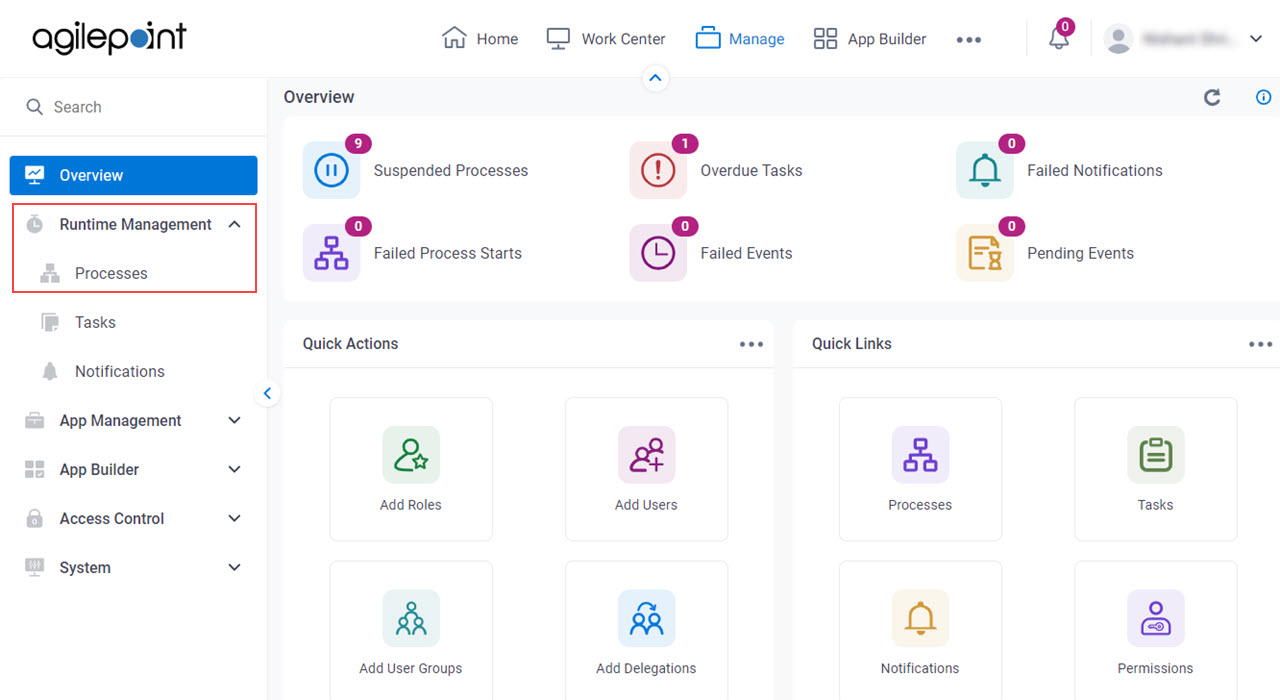
    Click Processes
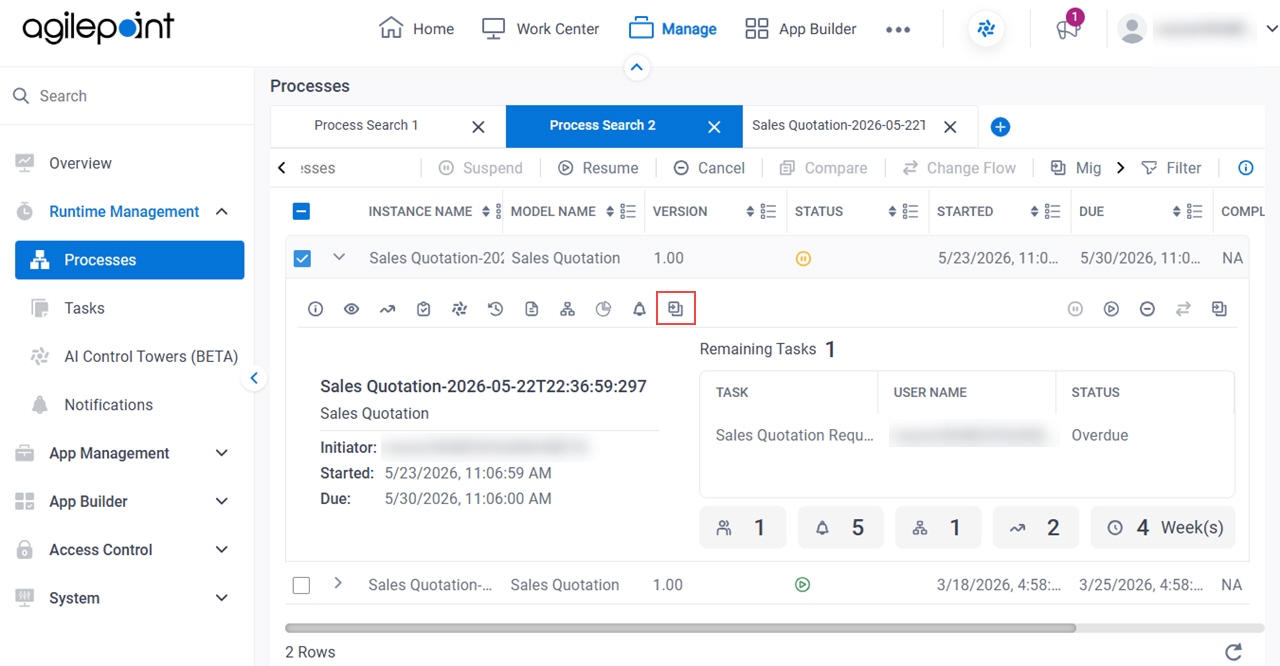
  3. On the Processes screen, click Expand Expand icon to expand a process.

    Click Process Expand
  4. Click Process Migrations Process Migrations icon .

    Click Process Migrations
On this page
  • Prerequisites
  • How to Start
AgilePoint Inc. logo

AgilePoint NX Product Documentation

Documentation Updated: July 8, 2026


This Page Applies To: AgilePoint NX v10.0


© 2026 AgilePoint, Inc. All rights reserved.

Quick Links:

Helpdesk: helpdesk@agilepoint.com

Examples

Troubleshooting

Process Activities

Form Controls

JavaScript for eForms

Data Entities

REST API

Release Notes

About the Documentation