
Delegations tab (Classic, SharePoint On-Premises)

Lets you view and change the tasks that have delegations in the Classic Work Center view for SharePoint on-premises.
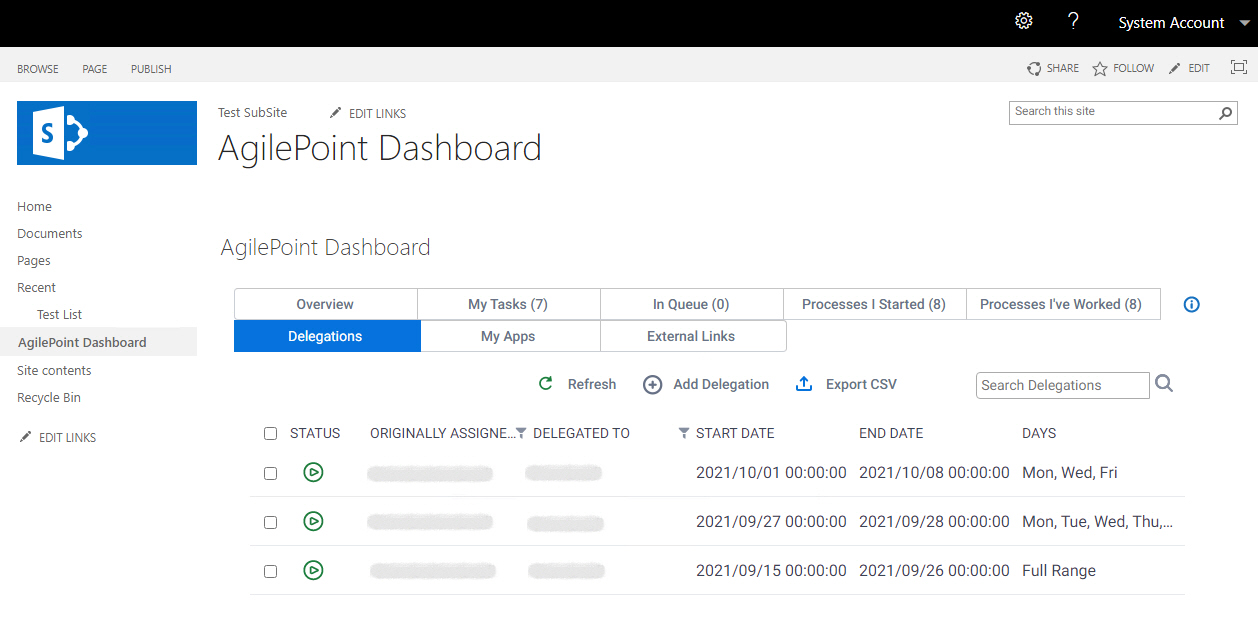
Figure 1. Delegations screen

Delegations screen

Prerequisites

How to Start

  1. In SharePoint on-premises, on the SharePoint site, click AgilePoint Dashboard.
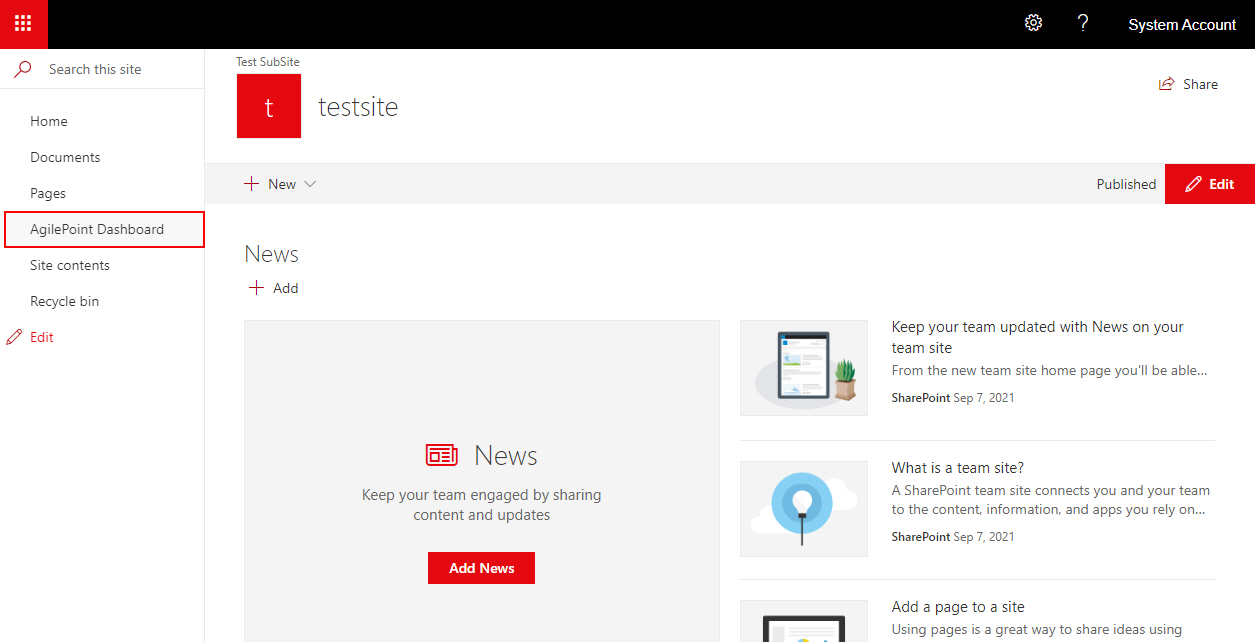
    Click AgilePoint Dashboard
  2. On the AgilePoint Dashboard screen, click Delegations.
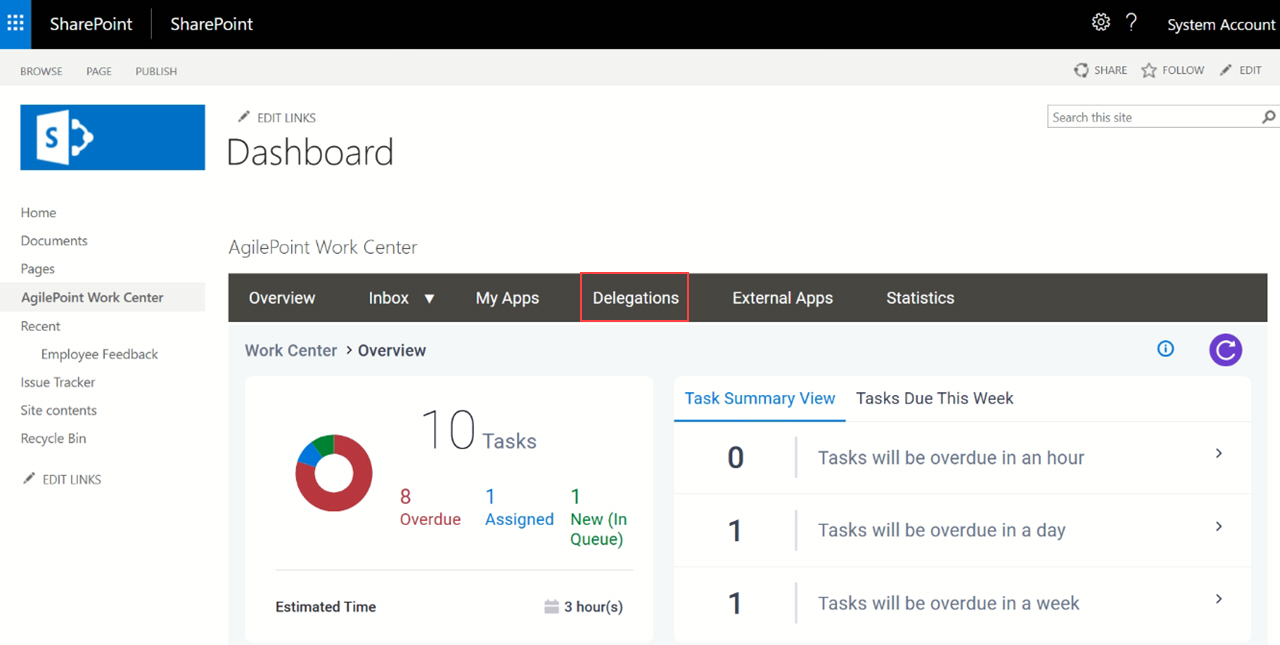
    Click Delegations

Fields

Field NameDefinition

Status

Description:
Shows the status of the delegation.
Allowed Values:
Read only.
  • Running Running icon - Shows the delegations that are Running.
  • Created Created icon - Shows the delegations that are created.
  • Cancel Cancel icon - Shows the delegations that are Cancelled.
  • Suspended Suspended icon - Shows the delegations that are suspended.

Originally Assigned To

Opens this Screen:
Shows the name of the first user to whom the task was assigned.
Allowed Values:
Read only.

Delegated To

Description:
Shows the user name to whom to temporarily reassign a task when the assigned participant is not available.
Allowed Values:
Read only.

Start Date

Description:
Shows the date and time when the delegation starts.
Allowed Values:
Read only.

End Date

Description:
Shows the date and time when the delegation ends.
Allowed Values:
Read only.

Days

Description:
Shows whether the delegation applies to the full range or specified days.
Allowed Values:
Read only.
Filter

Filters the items in the Task List Web Part based on column values.

Add Delegation

Opens this Screen:
Add Delegation screen
Function of this Screen:
Creates a delegation in the Classic Work Center view for SharePoint on-premises.

Edit Delegation

Opens this Screen:
Edit Delegation screen
Function of this Screen:
Changes a delegation in the Classic Work Center view for SharePoint on-premises.
To Open this Field:
  1. Select a delegation.

Resume Delegation

Opens this Screen:
Resume Delegations screen
Function of this Screen:
Resumes a suspended delegation in the Classic Work Center view for SharePoint on-premises.
To Open this Field:
  1. Select a delegation.

Delete Delegation

Opens this Screen:
Delete Delegation screen
Function of this Screen:
Deletes the selected delegation in the Classic Work Center view for SharePoint on-premises.
To Open this Field:
  1. Select a delegation.

Cancel Delegation

Opens this Screen:
Cancel Delegation screen
Function of this Screen:
Cancels the delegation in the Classic Work Center view for SharePoint on-premises.
To Open this Field:
  1. Select a delegation.
Refresh Refresh icon
Function:
Shows a new view of the screen content, with new changes.

Export CSV

Description:
Downloads the contents of a tab to your local machine as a .csv file.
Limitations:

This field is available in these releases: