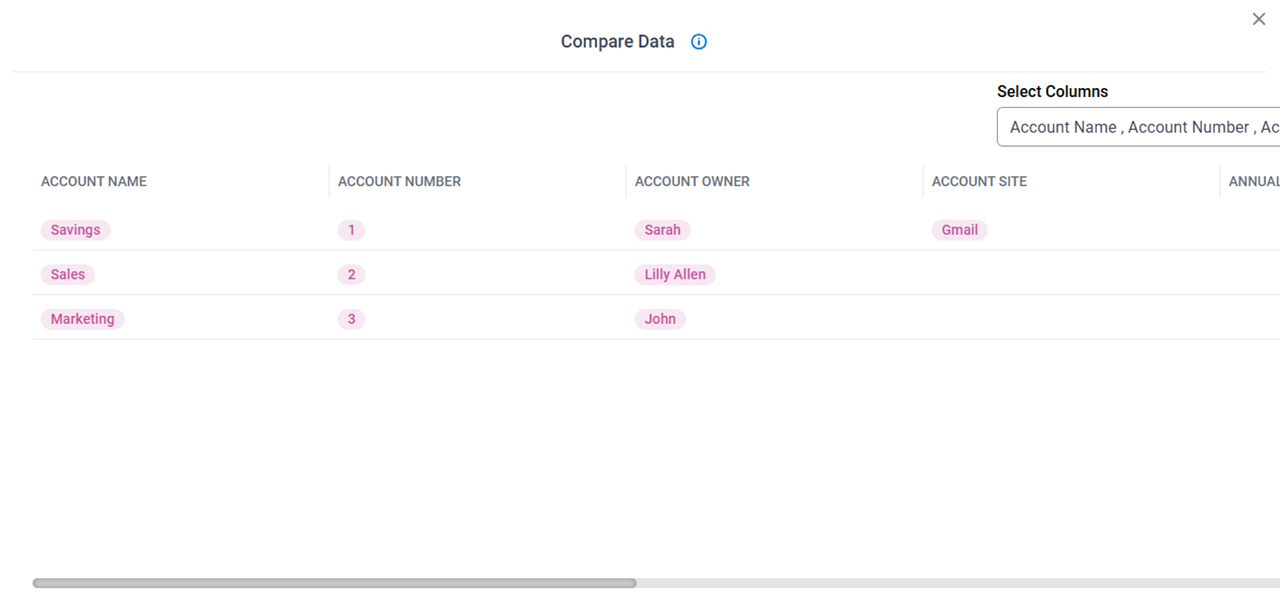
Compare Data screen
Full documentation coming soon.
Prerequisites
- AgilePoint NX OnDemand (public cloud), AgilePoint NX Private Cloud, or AgilePoint NX OnPremises v10.0 or higher.
How to Start
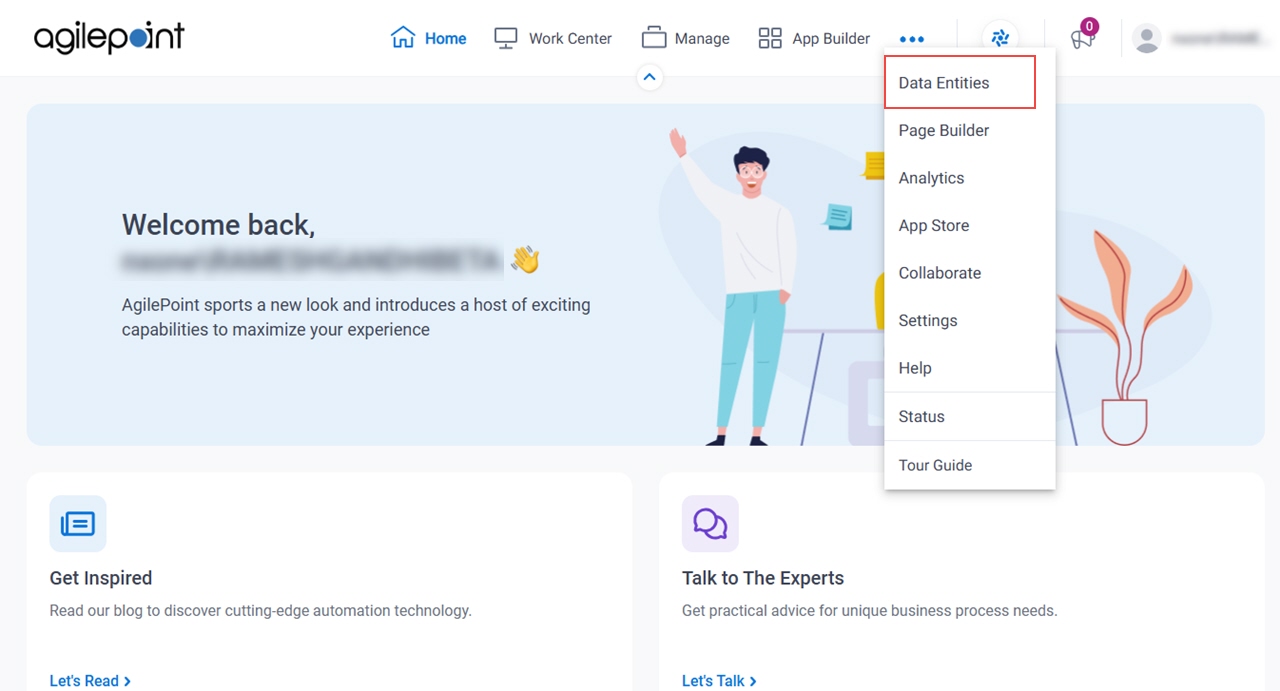
- Click Data Entities.
- On the Data Entities Home screen,
click Entities
 .
.
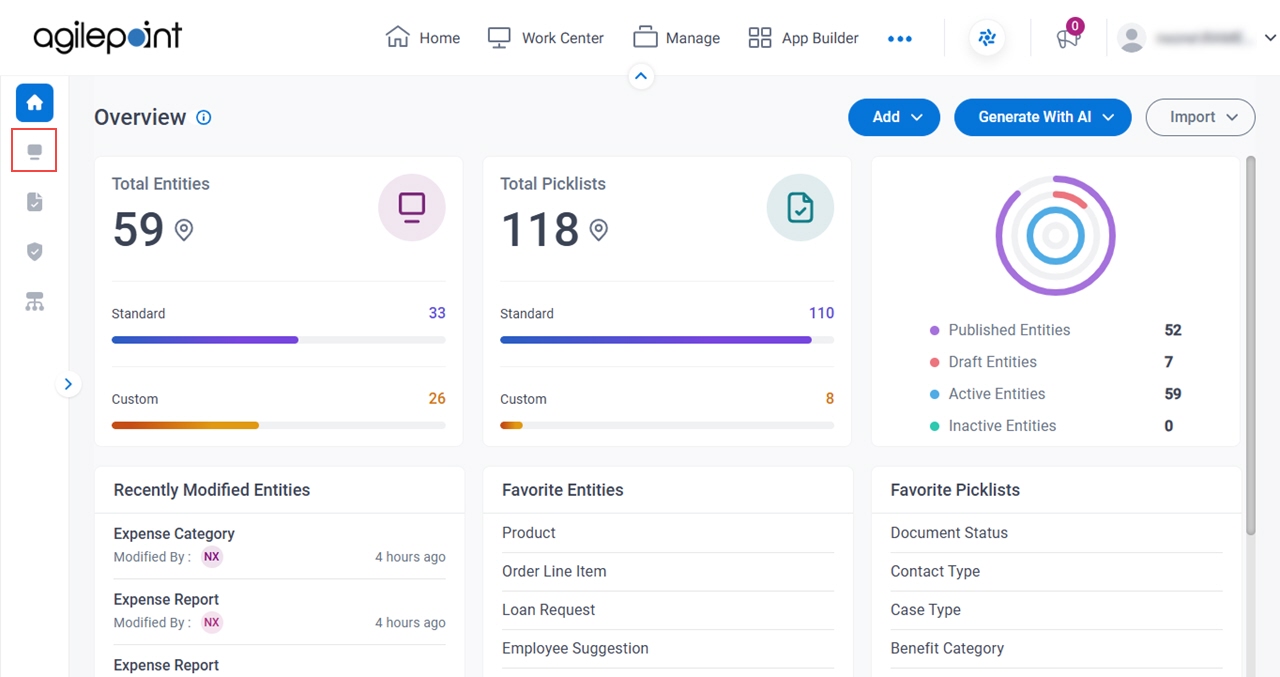
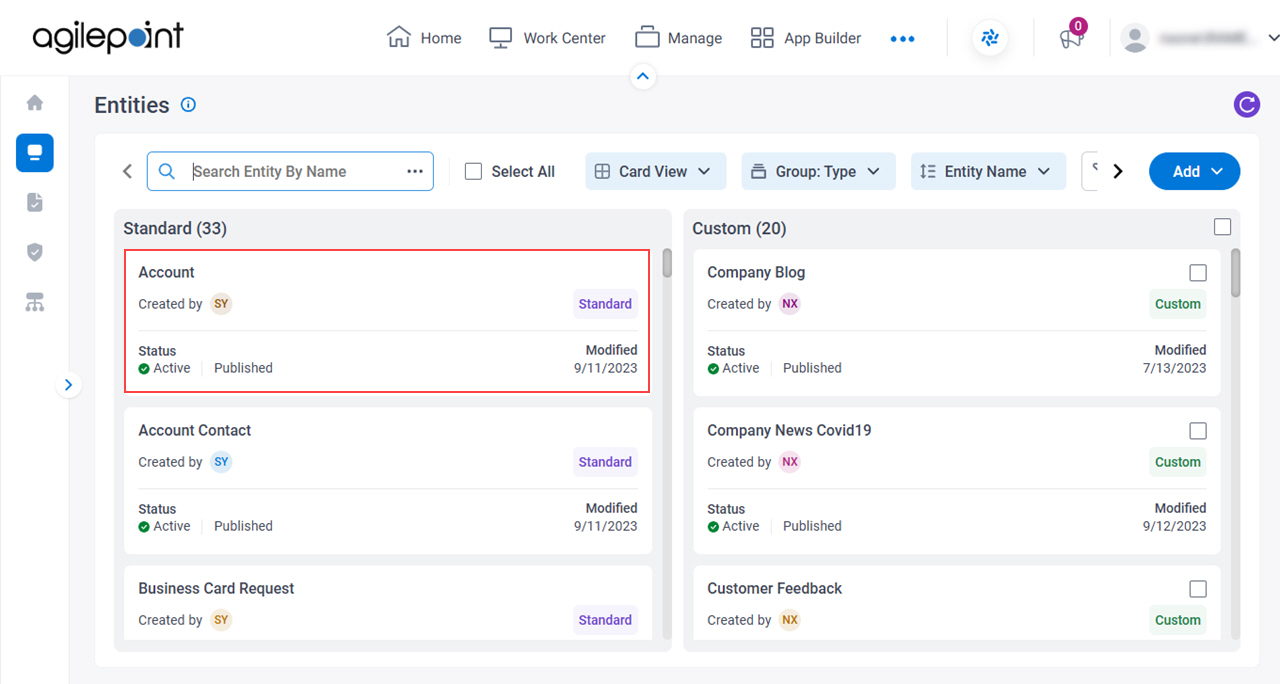
- On the Entities screen,
click an entity.
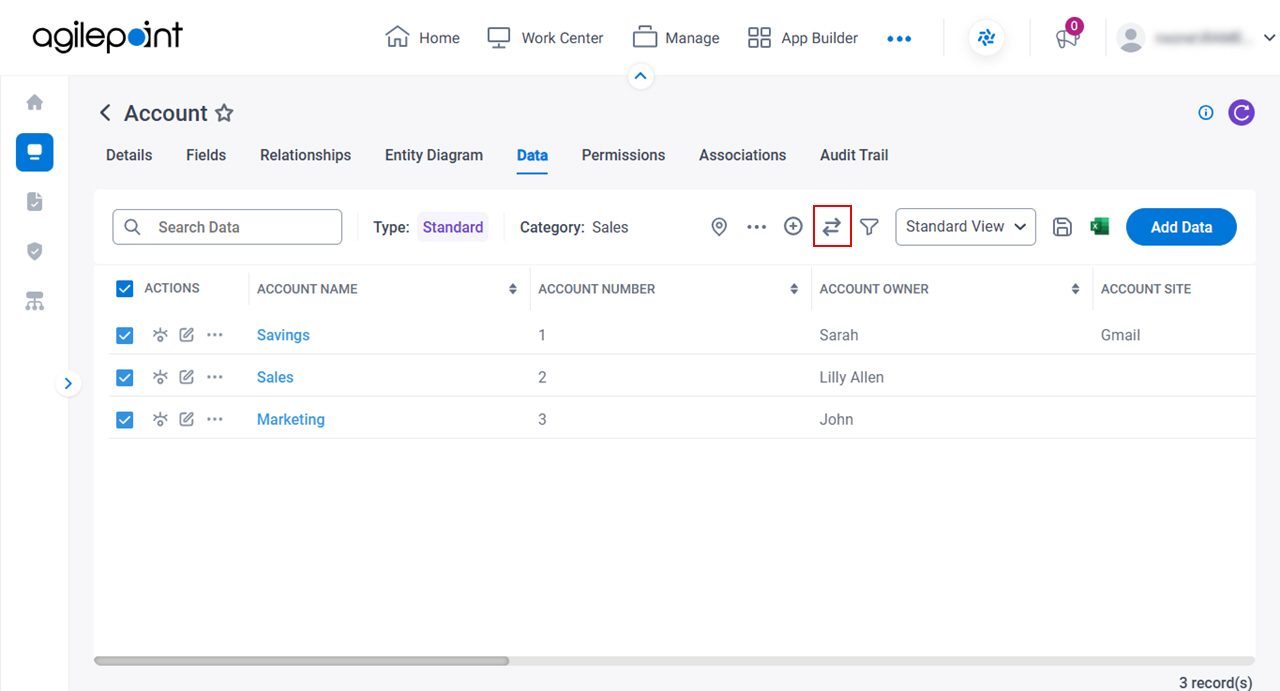
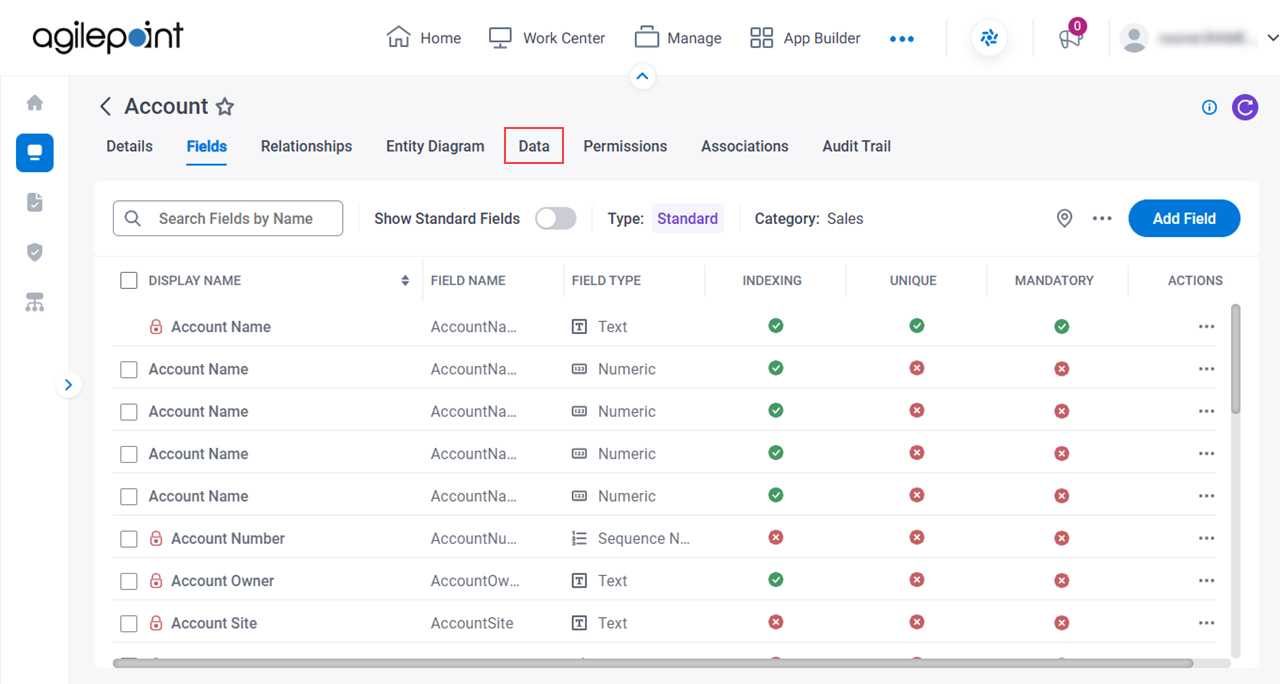
- Click the Data tab.
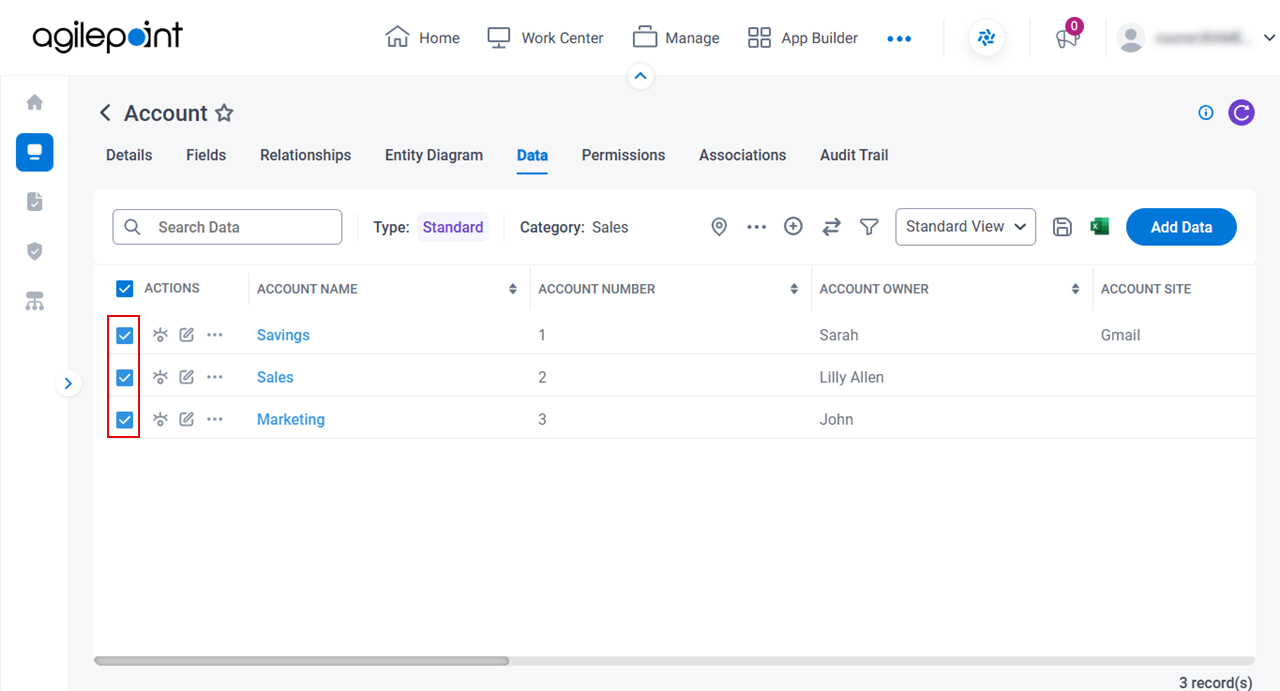
- On the Data tab, select more than one record.
- Click Compare
 .
.