Set Properties - EntitySpecification Configuration Window
This is for updating the values of different attributes in the entity.
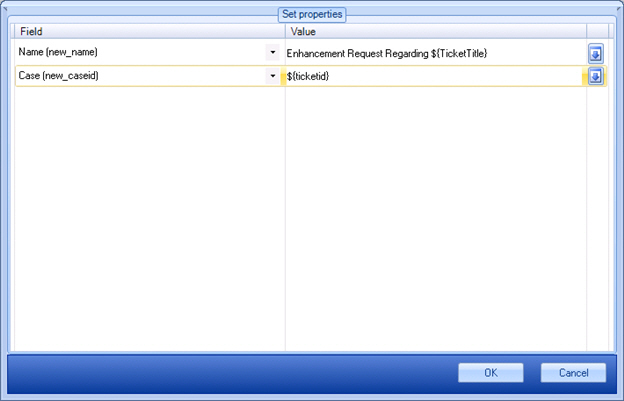
How to Start
- In AgilePoint Envision, open a process template.
- Navigate to the XRM Automatic Activities 2011 or XRM Automatic Activities 4 stencil.
- On the XRM Automatic Activities 2011
or XRM Automatic Activities 4 stencil, drag any of the following AgileShape, and drop it on the process template:
- Create Entity
- Update Entity
- To view the full list of properties, in the Design Tasks pane, click Show Properties.
- On the EntitySpecification field, click the Ellipses button.
Fields
| Field Name | Definition |
|---|---|
Field |
|
Value |
|
Down Arrow |
