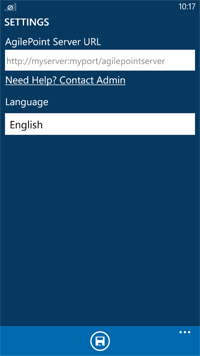
Specifies the settings for your AgilePoint Mobile Dashboard
app.
How to Start
- Swipe the Main Menu Handle (
 ).
).
- Tap Settings (
 ).
).
Fields
| Field Name |
Definition |
|
AgilePoint Server URL
|
- Definition:
- The URL of your AgilePoint Server.
- Allowed Values:
- A valid AgilePoint Server URL.
- Default Value:
- None
|
|
Language
|
- Definition:
- Specifies the language for the AgilePoint mobile app.
- Allowed Values:
-
- English
- Spanish
- Japanese
- Dutch
- Chinese(Traditional)
- Chinese(Simplified)
- Arabic
- Default Value:
- None
|
Save ( ) )
|
- Action:
- Saves the data and returns to the previous screen.
|