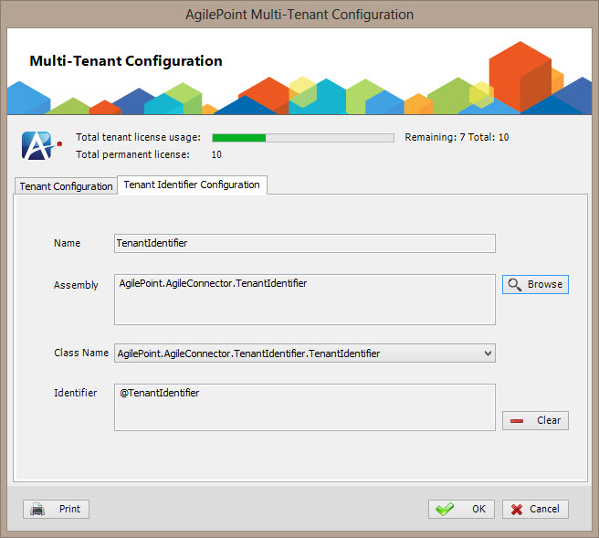
AgilePoint Multi-Tenant Configuration Window - Tenant Identifier Configuration Tab

Sets the Tenant Identifier assembly to determine which tenant the user belongs to based on a user name, e-mail address, or mobile number stored in the AgilePoint database.
How to Start

  1. On the AgilePoint Server machine, click Start > All Programs > AgilePoint > AgilePoint Configuration.
  2. On the AgilePoint Server Configuration Tool window, click Multi-Tenant Configuration.
  3. On the Multi-Tenant Configuration window, click the Tenant Identifier Configuration tab.

Fields

Field Name Definition

Name

Definition:
The text ID of the tenant identifier.
Allowed Values:
The value is determined by the assembly

Assembly

Definition:
Specifies the dll file of your tenant identifier. Click Browse to select your dll.
Allowed Values:
A valid assembly name.
Default Value:
None

Class Name

Definition:
Specifies the implementation of the IWFTenantIdentifier interface.
Allowed Values:
A valid class name
Default Value:
None

Identifier

Definition:
Specifies whether the assembly contains an implementation of the IWFTenantIdentifier interface or both the IWFTenantIdentifier interface and the IWFIntegratedApplication interface.
Allowed Values:
Read only

Clear

Action:
Clears all the field values on the configuration tab.
