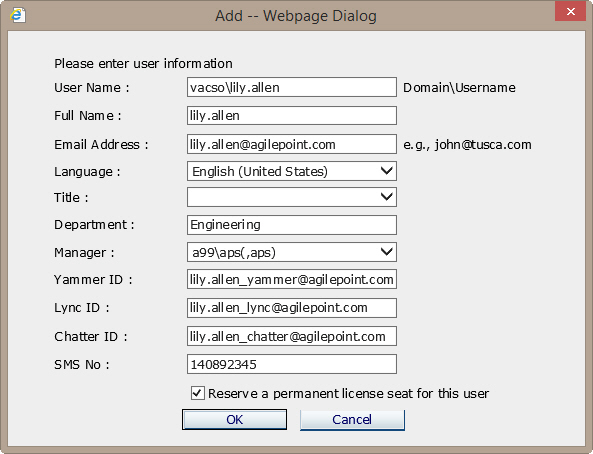
Under the AgilePoint Current User (floating) license, it is possible to reserve a license
seat for an individual user that does not expire. You can set this option in AgilePoint
Enterprise Manager.
How to Start
- On the Enterprise Manager Main Page, click
Users.
- On the Users window, click Add or Edit.
Fields
| Field Name |
Definition |
Reserve a permanent license seat for this user
|
- Definition:
- When selected, specifies that the user is reserved
a permanent license seat under the floating license
scheme.
When a license is reserved,
the user's license seat is
removed from the pool of floating licenses, and the
license never expires.
This is typically used for frequent
or high value AgilePoint users who need system access.
- Allowed Values:
-
- Deselected - Specifies that the user uses the
default floating license scheme.
- Selected - Specifies that a
non-expiring license seat is reserved for the user.
- Default Value:
- Deselected
|