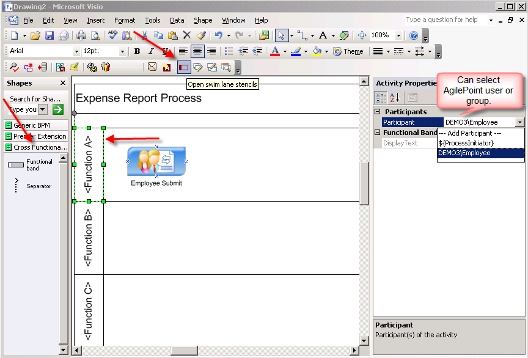
Swim Lanes allow for blocks to be added to the modeling canvas that belong to a particular AgilePoint group, role, or a single participant. When a manual activity is added to a Swim Lane, the AgilePoint group, role, or participant is automatically assigned based on which Swim Lane the manual activity is dropped (i.e. where Swim Lanes are tied to participant(s).
This feature is only for Microsoft Visio 2007 and
later.