The Find AgilePart and AgileWork function allows the administrator to search for AgileParts and AgileWorks in deployed process templates. This function can be used for analyzing the dependencies of a process template. For example, the administrator can see what AgileParts/AgileWorks (and the version) are associated with a process template.
- On the Enterprise Manager Main Page, click the Process Templates link. The Process Templates page appears.
- Click the
Find AgilePart & AgileWork button. The Find AgileParts or
AgileWorks page appears.
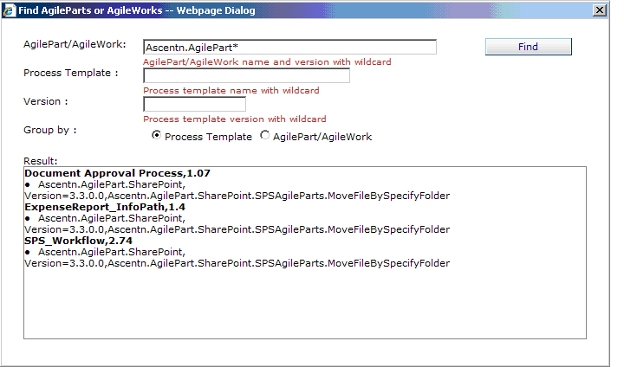
- Enter the search criteria in
the text boxes provided. For example, in the AgilePart/AgileWork text box, type
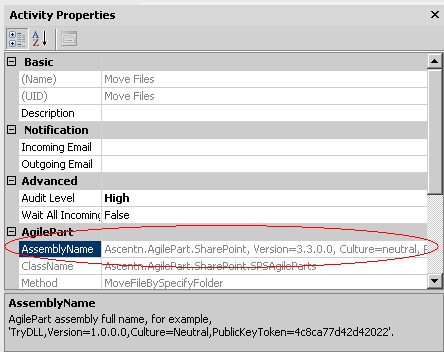
the AgilePart/AgileWork assembly name and click Find. You can also search on
process template name or process template version.
Wild cards are accepted for all the search text boxes. For example, you can type Ascentn.AgilePart* as shown above to return all AgileParts that begin with the assembly name Ascentn.AgilePart.
