This dialog allows the administrator to add groups from an Active Directory data source. For group names, alphanumeric characters and special characters, or a combination of both are supported. The special characters that are supported include the dash (-) and underscore (_).
Requirements:
- The AgilePoint System User (as defined in the AgilePoint Server Configuration utility) should belong to the Active Directory domain.
- AgilePoint Server's Application Pool's Identity user account (as configured in IIS) needs to have read permissions to the Active Directory server and data.
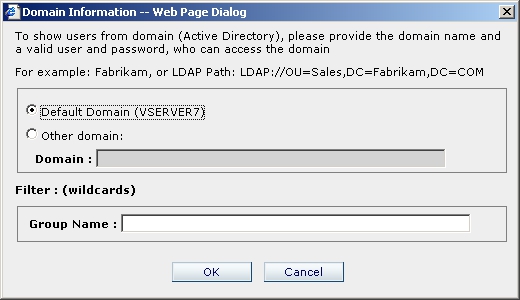
After the search the following dialog appears:
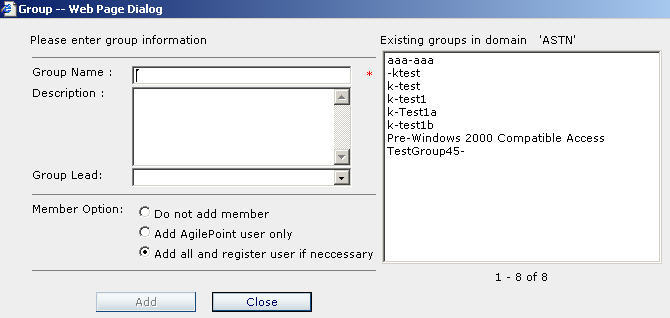
You can now select a group from the list to add. Select a Group Lead for the group. You can also select one of the three options when adding new members from AD:
- Do not add member – The group will be created with the group lead as the only member
- Add AgilePoint user only – Only members in the AD group that have already been registered as an AgilePoint user will be added to the newly created AgilePoint group.
- Add all and register user if necessary – All of the members in the selected AD group will be added to the AgilePoint group. Any member in the AD group that has not been registered as an AgilePoint user will automatically be registered as an AgilePoint user.
When adding groups from Active Directory, if
a member has incomplete user account information in AD, such as a missing email
address or the user's full name is blank, AgilePoint will skip the user and the
user will not be registered or added to the AgilePoint group.
Group names can include up to 64 characters.
