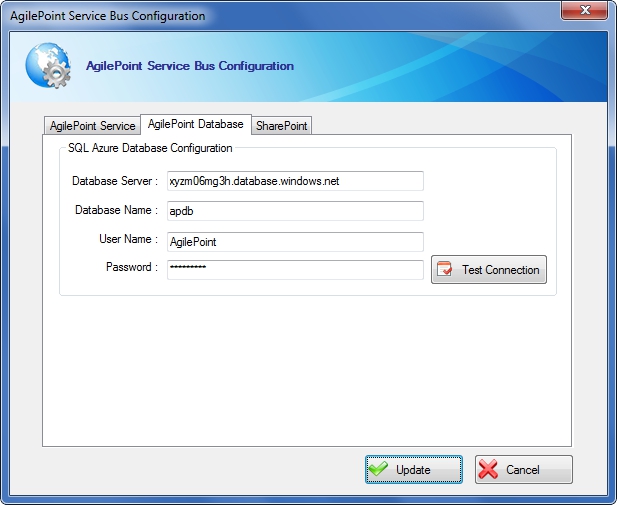
Specifies the connection information from the AgilePoint Service
Bus to your AgilePoint database on SQL Azure.
How to Start
- On the AgilePoint
Service Bus machine, click Start > AgilePoint > AgilePoint
Service Bus Configuration.
- Click the AgilePoint Database tab.
Fields
| Field Name |
Definition |
Database Server
|
- Definition:
- Specifies the server name and domain for
the SQL Azure database.
- Allowed Values:
- A server name and domain in the format [database name].database.windows.net.
- Default Value:
- None
- Example:
- myazuredb.database.windows.net
|
Database Name
|
- Definition:
- Specifies the name of your SQL Azure database.
- Allowed Values:
- A valid database name.
- Default Value:
- None
|
User Name
|
- Definition:
- Specifies the user name for the SQL Azure database.
- Allowed Values:
- A valid user name.
- Default Value:
- None
|
Password
|
- Definition:
- The password for the authentication account.
- Allowed Values:
- A valid password.
- Default Value:
- None
|