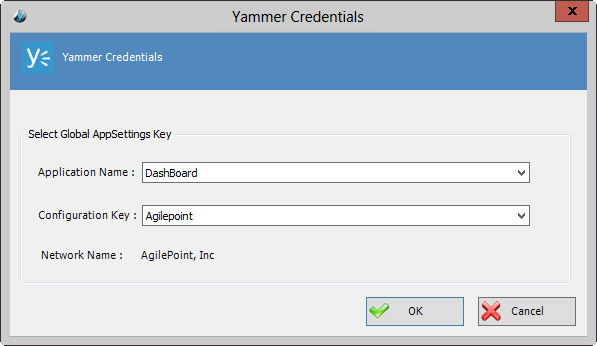
Yammer Credentials Window
Specifies the unique identifiers for the Yammer application.
Prerequisites
- You must set up an Enterprise Social Token for the Yammer application.
How to Start
- In AgilePoint Envision, open a process template.
- Navigate to the Yammer stencil.
- On the Yammer stencil, drag the following AgileShape, and drop it on the process template.
- Post Message
- Reply Message
- Post Attachment
- Invite User
- Create User
- Update User
- Delete User
- To view the full list of properties, in the Design Tasks pane, click Show Properties.
- On the Credential field, click the Ellipses button.
- On the Connecting to Server window, logon as a registered user to connect to the AgilePoint Server.
