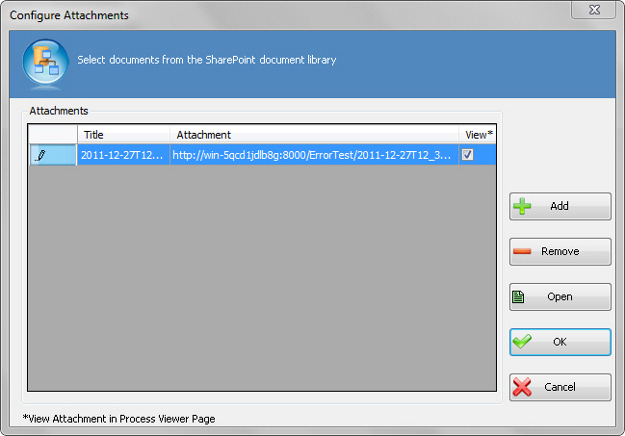
Configure Attachments Window

Specifies files to attach to an AgileShape from a process repository.
How to Start

  1. In AgilePoint Envision, open a process template.
  2. Drag any AgileShape, and drop it on the process model.
  3. To view the full list of properties, in the Design Tasks pane, click Show Properties.
  4. On the Configure Attachments field, click the Ellipses button.

Fields

Field Name Definition

Add

Opens the Following Window:
Get SharePoint Document Library Window
Purpose of this Window:
Specifies files to attach to an AgileShape from a process repository.

Remove

Action:
Removes a document from the Attachments list.

Open

Action:
Opens a document in the Attachments list for preview.

Other Predecessor Activities

Definition:
Specifies whether to display a link to the attached file in the AgilePoint Process Viewer.
Allowed Values:
  • Selected - The link is displayed in the process viewer.
  • Deselected - The link is not displayed in the process viewer.
Default Value:
Selected

Common Configuration Tasks
