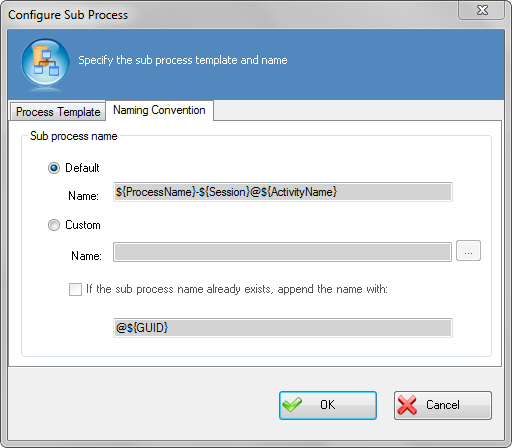
Configure SubProcess Window - Naming Convention Tab
Specifies the format for the name of the sub process. For example, the format can contain the name of the process template activated as sub process, session ID, and the activity name. The naming convention is used for management purposes in Enterprise Manager.
How to Start
- In AgilePoint Envision, open a process template.
- Open the Generic BPM stencil.
- On the Generic BPM stencil, drag the SubProcess AgileShape, and drop it on the process template.
- To view the full list of properties, in the Design Tasks pane, click Show Properties.
- On the SubProcess field, click the Ellipses button.
Field Definitions
| Field Name | Definition |
|---|---|
Default Name |
|
Custom Name |
|
If the sub process name already exists, append the name with |
|
Process Template |
|
