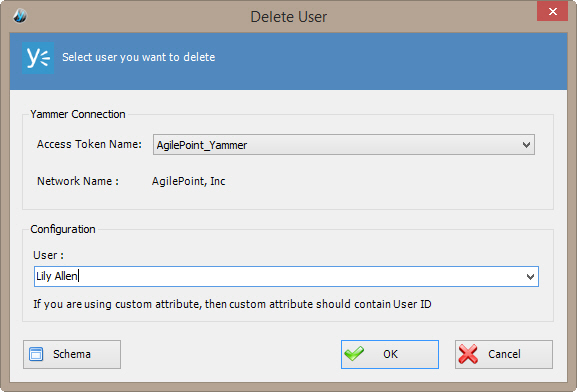
Delete User Window

Specifies the user to remove from your Yammer network.


How to Start

  1. In AgilePoint Envision, open a process template.
  2. Navigate to the Yammer stencil.
  3. On the Yammer stencil, drag the Delete User AgileShape, and drop it on the process template.
  4. To view the full list of properties, in the Design Tasks pane, click Show Properties.
  5. On the User field, click the Ellipses button.

Fields

Field Name Definition

Access Token Name

Definition:
Specifies the unique name for your connection to the enterprise social application.
Allowed Values:
An alphanumeric string with no spaces.
Default Value:
None
Custom Attributes:
No

User

Definition:
Specifies the user name you want to associate with the action.
Allowed Values:
A user name.
Default Value:
None
Custom Attributes:
Yes

Schema

Opens the Following Window:
Select XPath from Attributes Window
Purpose of this Window:
Enables you to select a schema node from the XML schema for your process.
