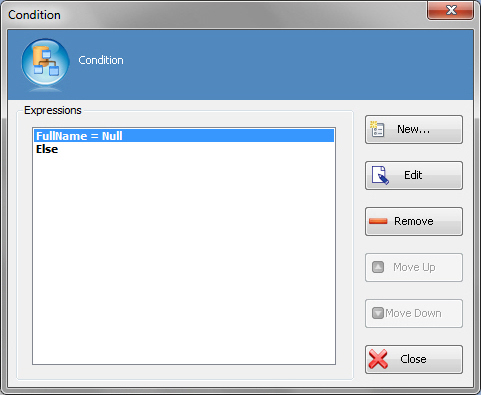
Condition Window
Enables you to add, edit, and manage conditions a list of conditional statements. You can specify a list of conditions using a single expressions for each condition.
How to Start
- In AgilePoint Envision, open a process template.
- Open the Generic BPM stencil.
- On the Generic BPM stencil, drag the Multiple Condition AgileShape, and drop it on the process template.
- On the New Condition Activity Window - Multiple Condition AgileShape, define your logical rules.
- To add conditions with single expressions, on the New Condition Activity window, click OK.
Fields
| Field Name | Definition |
|---|---|
Expression |
|
Edit |
|
Remove |
|
Move Up |
|
Move Down |
